Forum Discussion

Bradley Wood
Dec 17, 2019Brass Contributor
Files Tab - Cloud Storage
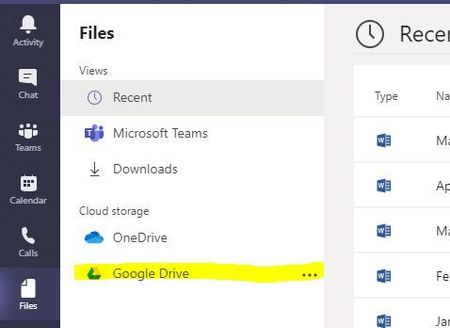
I clicked on "Add cloud storage" button on the files tab and selected Google Drive. It never asked me for credentials but seemed to sign into something, not sure what. I tried uploading a file and ...
- Dec 17, 2019Hi Bradley Wood,
How about after signing out disabling it in the Teams Admon Centre? As far as I remember it’s under .Org Settings.
Probably have to sign out then back in after.
Hope that answers your question. Let me know how it goes
Best, Chris

Dec 17, 2019
Hi Bradley Wood,
How about after signing out disabling it in the Teams Admon Centre? As far as I remember it’s under .Org Settings.
Probably have to sign out then back in after.
Hope that answers your question. Let me know how it goes
Best, Chris
How about after signing out disabling it in the Teams Admon Centre? As far as I remember it’s under .Org Settings.
Probably have to sign out then back in after.
Hope that answers your question. Let me know how it goes
Best, Chris

Bradley Wood
Dec 20, 2019Brass Contributor
yes, I went in and disabled all the options for adding external cloud storage and eventually this just fell off. Seems weird though that there is no way to remove it without turning off on the admin side. The other cloud options had a delete/remove function.
its resolved for me. Thanks