Forum Discussion

Jin Chen
Nov 26, 2021Iron Contributor
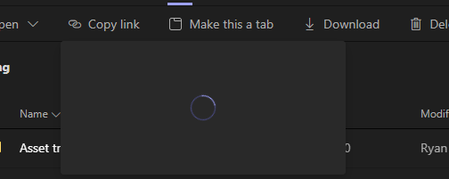
"Copy Link" to get URL to a file in teams keep spinning
Hello I am having issue when I try to "copy Link" to get an URL to a file or folder in teams. It keeps spinning but not generate a link. I am using Windows 11 and latest Teams. I have even reset...

tclark_mpg
Dec 10, 2021Tin Contributor
I'm curious as well. This began happening about a month ago to 1 user. Today its another.
Logged out and cleared cache. That didn't work.
Fully uninstalled, cleared all the Teams directories out and reinstalled. No love.
Teams is up to date. Can't seem to get this working again.

Lee-Lep
Dec 10, 2021Copper Contributor
gt-sea and tclark_mpg I am experiencing the same issue, have you found a solution?
- tclark_mpgDec 10, 2021Tin Contributor
Lee-Lep No resolution yet, but the workaround is the user clicks Open in SharePoint, then gets the copy link from there.
 gt-seaDec 10, 2021Tin ContributorWe have found a workaround for our Copy Link dialog box not rendering completely. If we switch networks, we have to log out of Teams and then log back in and the Copy Link dialog box will render and fill in.
For our users, if they move from their docking station to a conference room and wifi, they have to log out of teams and then log back in to Teams and then the Copy Link box renders for them. Same process when they leave the conference room and go back to their desks. Users with older versions of Teams do NOT have this problem (we've told them not to chk for updates) so this is something related to newer versions of Teams. We had no problems with the Copy Link function in Teams desktop 3 weeks ago.