Forum Discussion

Jin Chen
Nov 26, 2021Iron Contributor
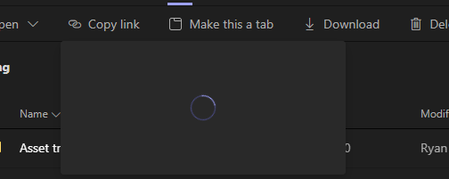
"Copy Link" to get URL to a file in teams keep spinning
Hello I am having issue when I try to "copy Link" to get an URL to a file or folder in teams. It keeps spinning but not generate a link. I am using Windows 11 and latest Teams. I have even reset...

Nov 26, 2021
I've got windows 11 and it's working fine. How did you clear cache? Have you done a manually sign out and back in? That usually clears more cache than uninstall / reinstall for some reason. Gonna assume it works in teams.microsoft.com web?

Jin Chen
Nov 29, 2021Iron Contributor
Chris,
Thank you very much. I cleared the cache according to the instruction online by deleting all the files in Cache folders. I have also reset my entire win 11 pc. Yes, I did manually sign out and back in. Nothing works.
"copy link" feature is working fine in team.microsoft.com WEB and my win 10 pc.
Any further suggestion?
Thanks
Ryan
Thank you very much. I cleared the cache according to the instruction online by deleting all the files in Cache folders. I have also reset my entire win 11 pc. Yes, I did manually sign out and back in. Nothing works.
"copy link" feature is working fine in team.microsoft.com WEB and my win 10 pc.
Any further suggestion?
Thanks
Ryan