Forum Discussion

'Copy Link' for Folder/Files does not work in Teams
 Jun 13, 2022
Great
It works for me as well!!!
Strange thing is mine updated 8th of june but only today it workedYesterday I thought, how can this still be possible as I had this issue for a very long period of time
(opening the Team in SharePoint the copy link always did work as workaround)
but happy now 🙂


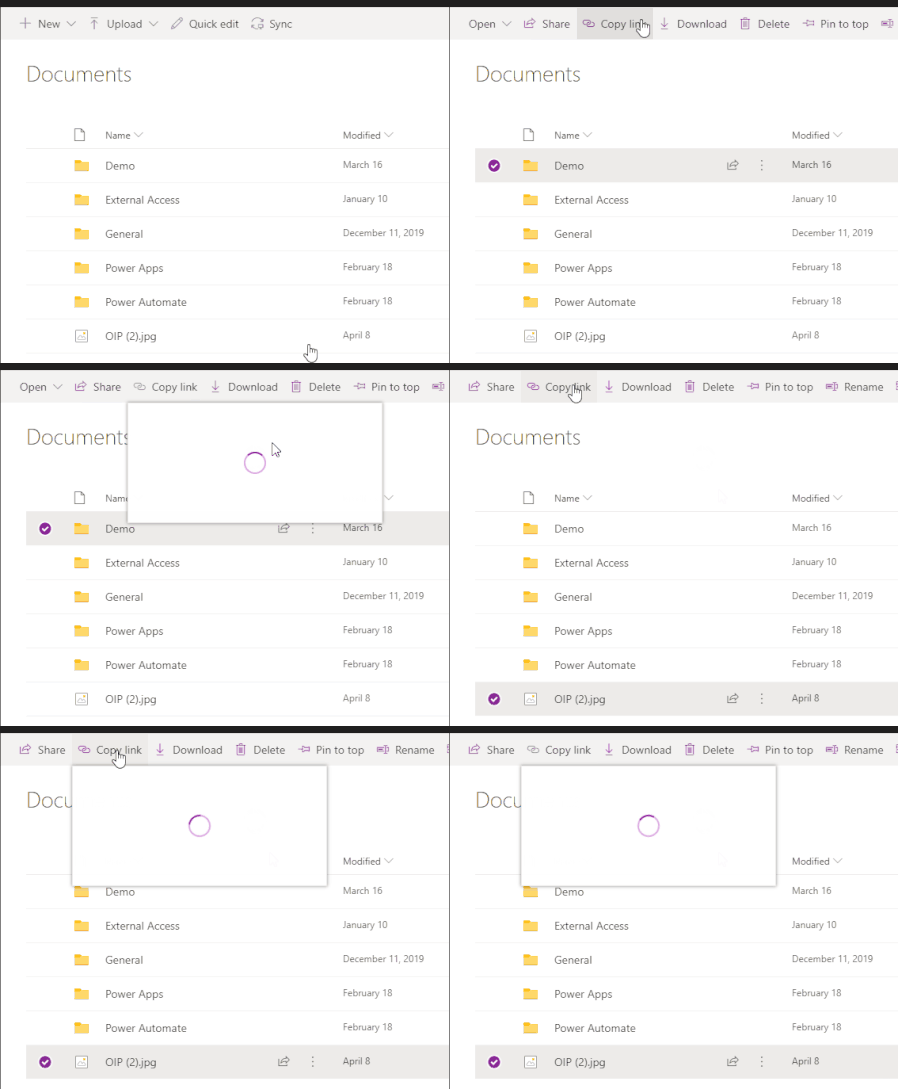
Paul_IQPC , the original functionality was that after click on the 'Copy link' you would get a popup with 2 tabs. First for the link within MS Teams and second for link to SharePoint. Although the link for Teams was quite ugly as it was a very long link, it was quite functional to keep everything within Teams.
Than the spinning wheel started some weeks/months ago and now we(I) have half the functionality back with links to SharePoint only and not working on the library root folder(General) and files in that folder.
It is obvious that there is some work going on at Microsoft. But it would have been nice if they shared a little info so we know what to expect.
The only thing I know is that they are working on a more seamless Woking together between Teams and SharePoint;
https://admin.microsoft.com/AdminPortal/home#/MessageCenter/:/messages/MC306666?MCLinkSource=MajorUpdate
But this is just an educated guess.
Edit: I just realise this link is behind admin center password.
The message is about;
- Paul_IQPCDec 22, 2021Brass Contributor
Florisz Hi Florisz and thanks for that info - it was really helpful. I notice in the thread somewhere that it was suggested that you can open a link in a browser page but I do not see any command to do this.
In a doc on the web it suggested right clicking on a source doc in teams and I should have an Open command but I only see this
Is this the same for you or anyone else - I was just asking as I need to know if it is a local policy that this is switched off or is it another thing that is broken in teams

thanks
P
 David SchragDec 21, 2021Iron ContributorJust chiming in to say "me too" and hoping to see a fix soon.

