Forum Discussion

Henry Edwards
May 27, 2020Brass Contributor
'Copy Link' for Folder/Files does not work in Teams
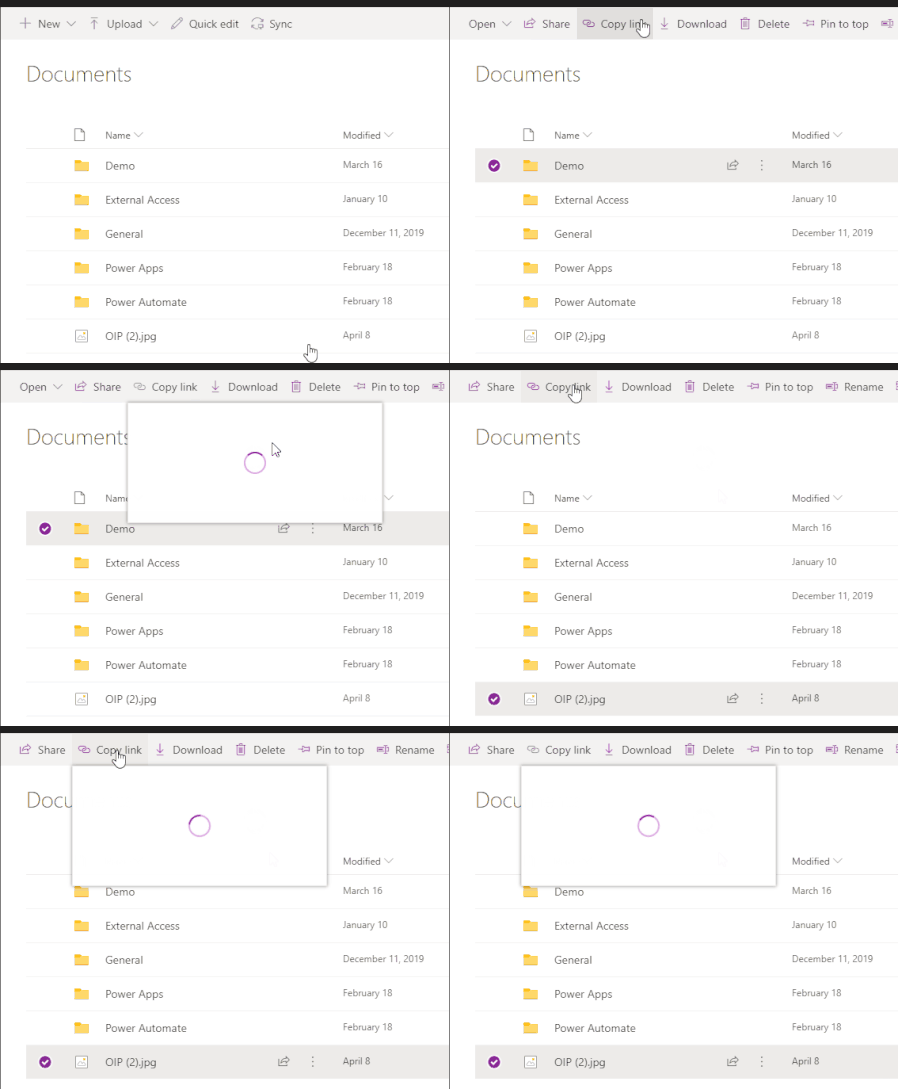
When you access a document library using the website/SharePoint tab and click on 'copy Link' the dialog opens up and has a spinning circle constantly, doesn't load.
 Jun 13, 2022
Great
It works for me as well!!!
Strange thing is mine updated 8th of june but only today it workedYesterday I thought, how can this still be possible as I had this issue for a very long period of time
(opening the Team in SharePoint the copy link always did work as workaround)
but happy now 🙂

BShipe
Dec 21, 2021Iron Contributor
I'm encountering this issue as well on my current workstation in the Teams desktop client. My workstation exhibits the same behavior in your post where it'll sit, continue to try and load the Copy Link dialog, get larger, and continue to load forever. I've attempted to clear both the Teams cache and browser cache.
Here are my other observations:
- Copying a link in SharePoint Online works as expected.
- Copying a link in the Teams browser client works.
- From a test VM, I was able to open the Teams desktop client and successfully copy a link.

NBelham
Dec 21, 2021Copper Contributor
Surely we cannot be expected to clear out of client cache rubbish which break client side functionality! I tried that some days ago and it still didn't work for me. Annoying!