Forum Discussion

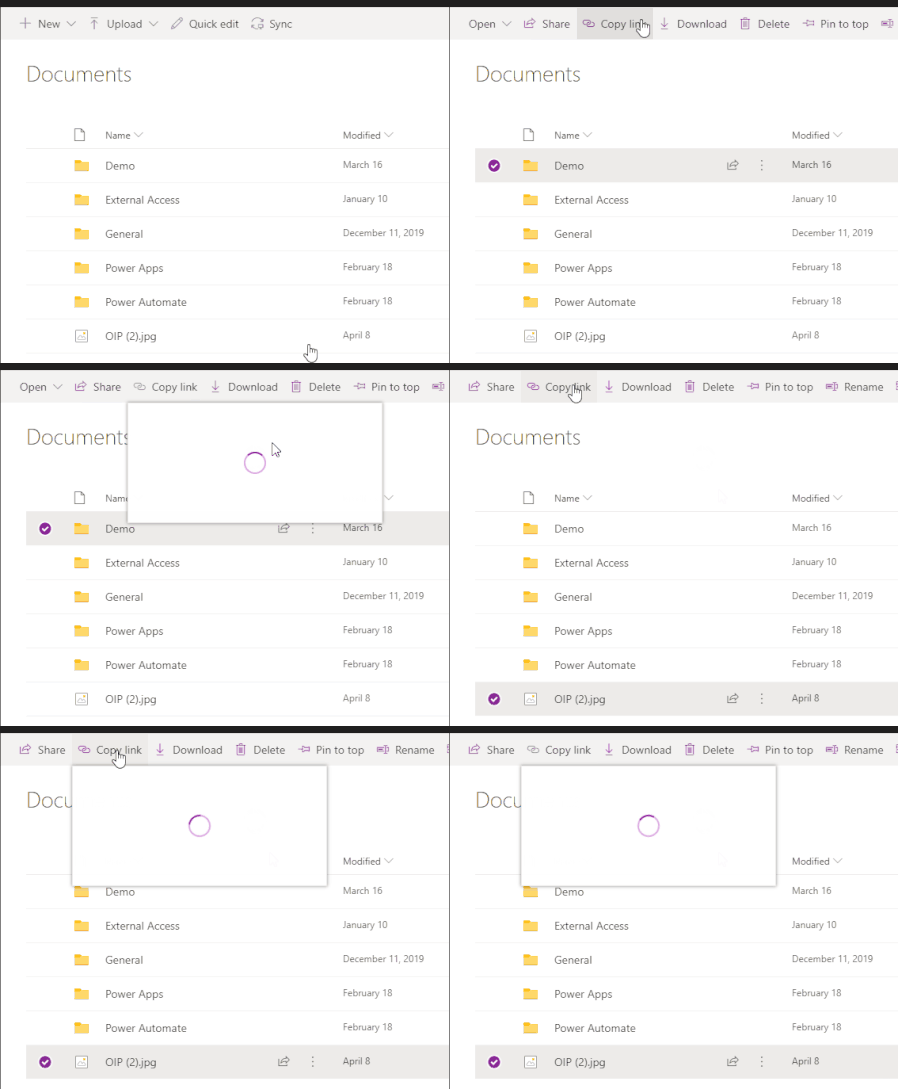
'Copy Link' for Folder/Files does not work in Teams
 Jun 13, 2022
Great
It works for me as well!!!
Strange thing is mine updated 8th of june but only today it workedYesterday I thought, how can this still be possible as I had this issue for a very long period of time
(opening the Team in SharePoint the copy link always did work as workaround)
but happy now 🙂

Florisz Hi.
Apologies, it was a quick update, hopefully this will be clearer.
When you go to add an tab, I was using the Document Library Tab I think (Have just tried to use this and it works now), However continue for a better experience.
I then tried it with the following app, it works using this app:
And you get a better experience:
Hope that helps
 Srini2021Dec 15, 2021Copper ContributorHi Henry, this workaround works for me. Thanks.
1. is there a way to set the 'Documents' tab on by default for all the Teams that I have on teams? Anders_Johansson335Dec 15, 2021Copper Contributor
In missing feedback from MS in this article I've created a support ticket 28883437. I will keep you posted with the results.
 RobertC20Dec 15, 2021Copper Contributor
Removed cache
reinstalled Teams
Logged out and in
It just stopped working overnight. Don't know if they did an update or something...
No change. HELP. Fix it please!! Henry EdwardsDec 15, 2021Brass ContributorHi, have you tried the alternative way to add a document library above? Does it work with that app?
 Paul_IQPCDec 15, 2021Brass ContributorHi I tried this but it is does not show the docs in Sharepoint that I am looking for - thx for the idea though