Forum Discussion

Henry Edwards
May 27, 2020Brass Contributor
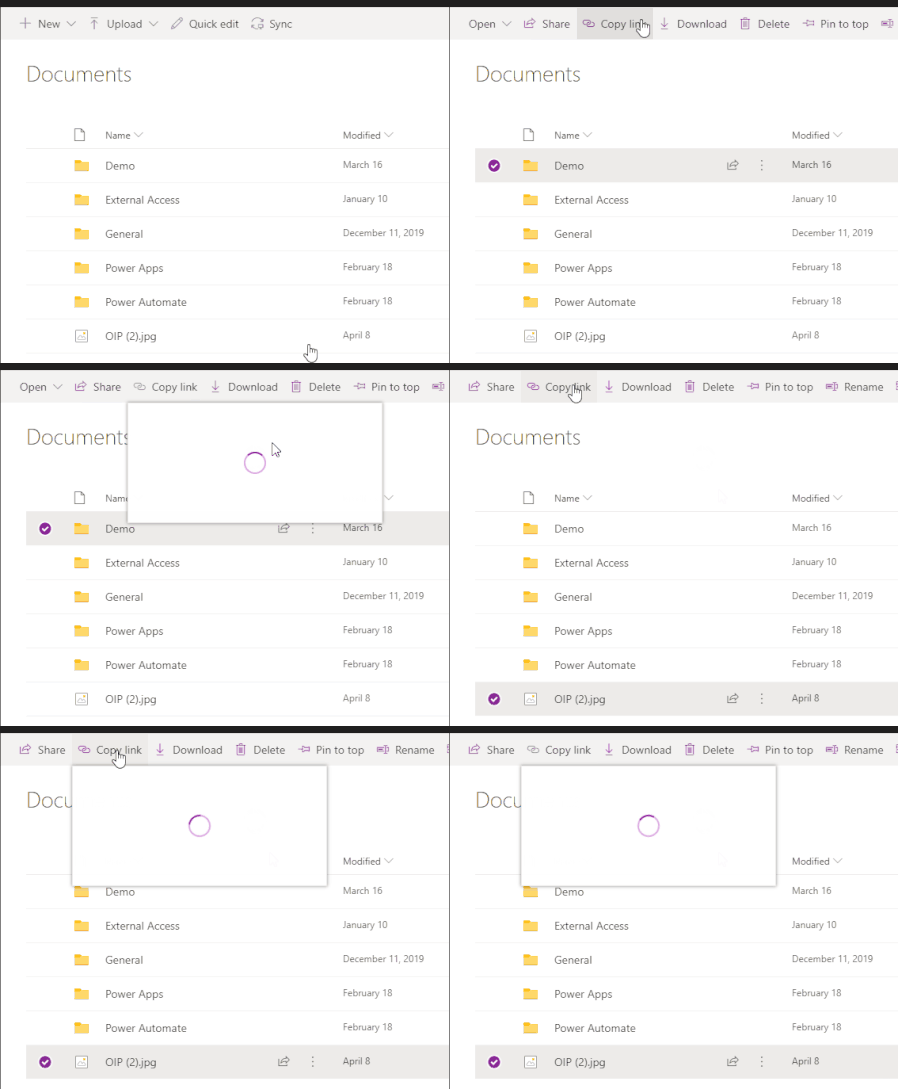
'Copy Link' for Folder/Files does not work in Teams
When you access a document library using the website/SharePoint tab and click on 'copy Link' the dialog opens up and has a spinning circle constantly, doesn't load.
 Jun 13, 2022
Great
It works for me as well!!!
Strange thing is mine updated 8th of june but only today it workedYesterday I thought, how can this still be possible as I had this issue for a very long period of time
(opening the Team in SharePoint the copy link always did work as workaround)
but happy now 🙂

Dec 09, 2021
So it is something in the caching of the teams client have you also tried to clear the cache and all folders that are related to teams?

Paul_IQPC
Dec 09, 2021Brass Contributor
Yup cleared all of these
%AppData%\Microsoft\teams\application cache\cache
%AppData%\Microsoft\teams\blob_storage
%AppData%\Microsoft\teams\databases
%AppData%\Microsoft\teams\cache
%AppData%\Microsoft\teams\gpucache
%AppData%\Microsoft\teams\Indexeddb
%AppData%\Microsoft\teams\Local Storage
%AppData%\Microsoft\teams\tmp
%AppData%\Microsoft\teams\application cache\cache
%AppData%\Microsoft\teams\blob_storage
%AppData%\Microsoft\teams\databases
%AppData%\Microsoft\teams\cache
%AppData%\Microsoft\teams\gpucache
%AppData%\Microsoft\teams\Indexeddb
%AppData%\Microsoft\teams\Local Storage
%AppData%\Microsoft\teams\tmp