Forum Discussion

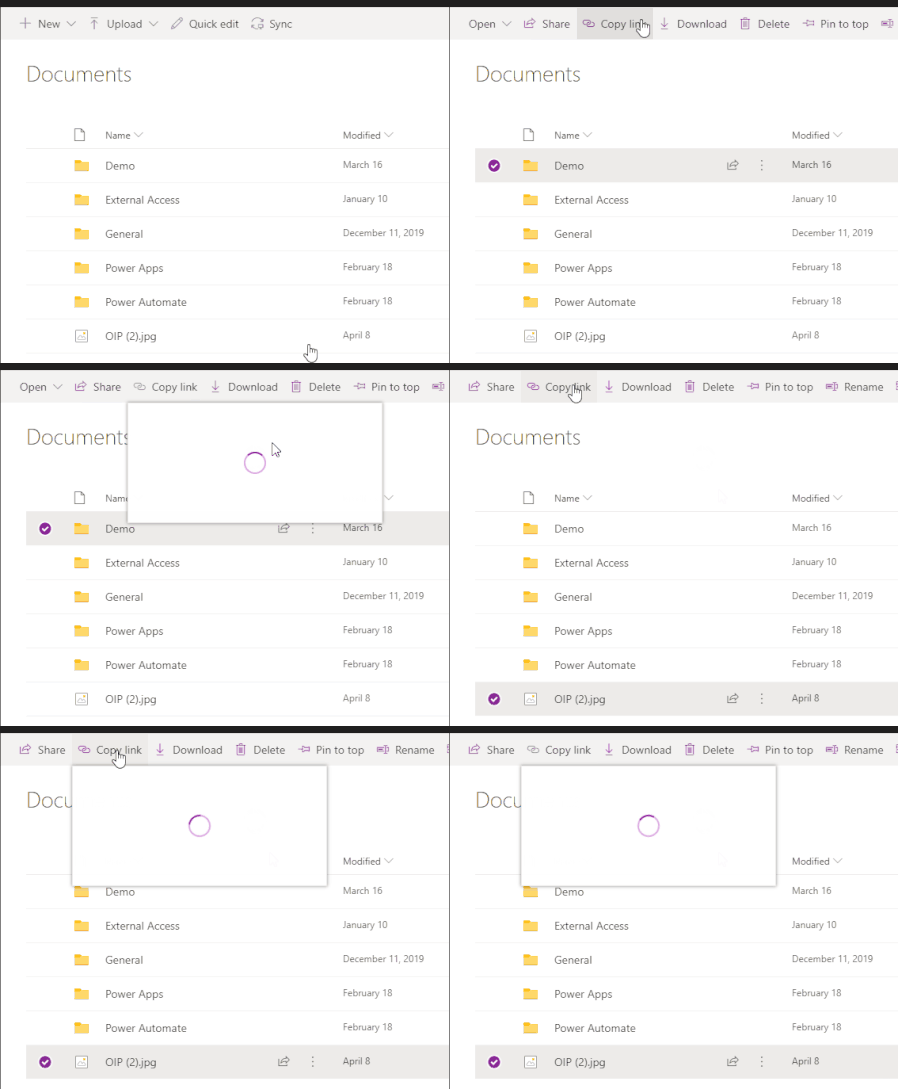
'Copy Link' for Folder/Files does not work in Teams
 Jun 13, 2022
Great
It works for me as well!!!
Strange thing is mine updated 8th of june but only today it workedYesterday I thought, how can this still be possible as I had this issue for a very long period of time
(opening the Team in SharePoint the copy link always did work as workaround)
but happy now 🙂

Henry Edwards as an update I had to kill some tasks in Task Manager and so I killed Teams as well. Now when I reopen it the links seem to work - weird. Hope this helps everyone
- Paul_IQPCDec 09, 2021Brass Contributor
Sorry my bad - it opens the main Teams channel but NOT individual folder links - so the problem still exists
Florisz I have tried clearing the cache and even deleting all the temp files as explained here https://www.technipages.com/fix-microsoft-teams-hyperlinks-not-working but still no joy. SO as far as I am concerned the problem still exists stwhyperionpartnersApr 21, 2022Copper Contributor
I cleared cache, uninstalled and reinstalled teams and I still can't "copy links" in teams Paul_IQPC
I have to open the channel or folder in sharepoint to copy links.
this is happening in my new laptop not the old one and what's strange is that the are both the same Lenovo Thinkpad laptops
Has anyone from Microsoft been able to look into this and find a resolution?
 RattybikeJun 13, 2022Copper Contributor
My issues with Copy Link were resolved by Microsoft with the following update:
1.5.00.12969 (64-bit). It was last updated on 5/28/2022.
- RattybikeFeb 13, 2022Copper ContributorExactly the same problem for me; I sure miss putting links in messages to get my users to the exact team channel quickly.
- FloriszDec 09, 2021Brass ContributorI already tried this and uninstalled-reinstalled teams, cleaning cache. By coincidence I even got a new laptop,
I think you are just lucky for now/today. In the last weeks I had it working once as well.
