Forum Discussion

Henry Edwards
May 27, 2020Brass Contributor
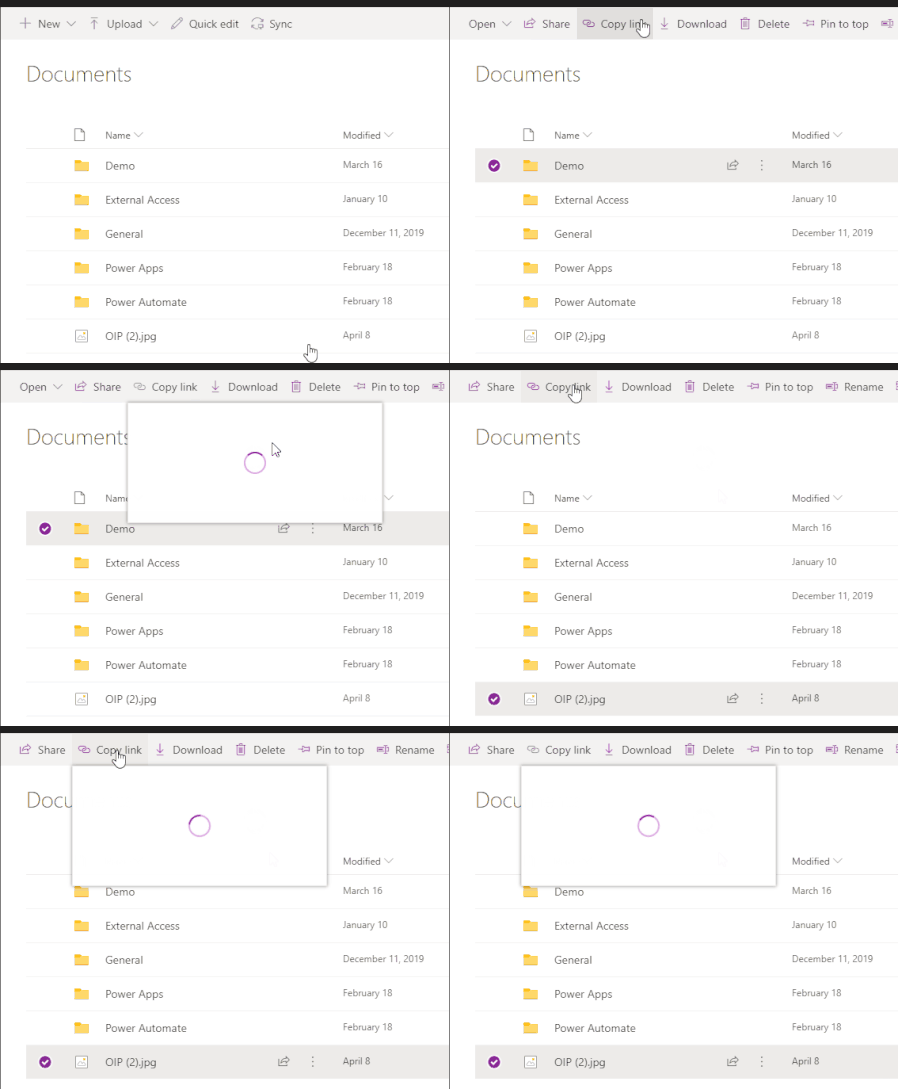
'Copy Link' for Folder/Files does not work in Teams
When you access a document library using the website/SharePoint tab and click on 'copy Link' the dialog opens up and has a spinning circle constantly, doesn't load.
 Jun 13, 2022
Great
It works for me as well!!!
Strange thing is mine updated 8th of june but only today it workedYesterday I thought, how can this still be possible as I had this issue for a very long period of time
(opening the Team in SharePoint the copy link always did work as workaround)
but happy now 🙂

Florisz
Dec 09, 2021Brass Contributor
Because of the reply from Paul_IQPC about Microsoft not reading this forum, I posted a question on answers.microsoft.com ;
https://answers.microsoft.com/en-us/msteams/forum/all/teams-desktop-copy-link-spinning-wheel/da888a99-145b-4196-bcbe-0bc068ae05a9
The first tip given there of clearing cache does not work.(tried it already) See my comments.
The second tip I did and maybe you can do as well. hitting the help button in Teams and click Feedback.
https://answers.microsoft.com/en-us/msteams/forum/all/teams-desktop-copy-link-spinning-wheel/da888a99-145b-4196-bcbe-0bc068ae05a9
The first tip given there of clearing cache does not work.(tried it already) See my comments.
The second tip I did and maybe you can do as well. hitting the help button in Teams and click Feedback.