Forum Discussion

Contact list no longer available in new Teams version
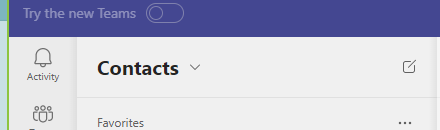

I’m not saying this isn’t a real pain vs the old Contacts List (I truly miss it), but Presence is available within the People App - at least on an individual basis, you just have to dig deeper.
It’s not perfect – and I hope they update the People App in the future to bring back what has been lost in terms of functionality from what was in the old Contacts List.
- Open People App
- Click a category, then click a name from your list of contacts.
- Click Contact
- presence status shows in the box below

abesso Is the people app a separate app or is it part of the new teams? I don't see it anywhere.
- abessoJan 15, 2024Brass Contributor
You may need to click the three dots ... for the "View more apps" link.
then search People. Once you have it added, you can then PIN it (right click, Pin).
 nameless0neJan 15, 2024Brass Contributor
This document should help with that:
https://support.microsoft.com/en-au/office/manage-your-contacts-with-the-people-app-in-teams-cfea34b9-ac23-4cff-b3d1-c97bb2b1e751
(but I do remember that it was more complicated than what can be seen in this doc; there should be a post in this thread with instructions on how to find it)
- SamanthaLDJan 16, 2024Brass Contributor
Thanks, I thought it was a feature of Teams. I've been able to add the app and it solves some issues but not all of them. I did have a hard time finding the app though because I was searching on the button called apps. nameless0ne