Forum Discussion

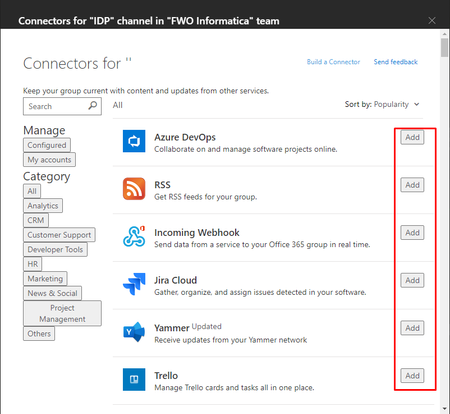
Can't add connector to team
 Jun 22, 2022
Ok, so I had the same issue where I was trying to add the webhook connector to a channel I have in Teams with my organization.
I was attempting to add the connector by clicking the three dots inside the channel where I wanted to add it.
In order to get it work, I went into the "Apps" on the left side menu, looked for it there. Added it to the Team/Channel I wanted, and it is now working as intended.
I am still going with MS Support on this issue.
Today the incoming webhooks is no longer showing, when i go to add a connector. But strange enough, the others are showing and working. I can configure those ones, just not the one i want.
I am constantly going back and fourth with screen shots, videos, and network captures.
Yes i would suggest that anyone that has this issue log it with MS, so they know it is a larger problem then just a few people.
This newly created app permission policy, was my problem, as it didn't allow 3rd apps to be added.
So i would check all your app permission policies, it seems to be the most restrictive applies.
 RLithgoNov 07, 2021Copper ContributorGood that you got it working Sharon, but the issue for me (and I think others) is that it works on the Web UI but not on some Teams desktop installations. This is with the same logged in Teams user.
 julicoFeb 03, 2022Copper Contributor
Has anyone got anywhere with this please? I had this issue several months ago, used the workaround as described. I'm now wanting to add another webhook.. guess I'll be using the workaround again.. just wanted to make sure this issue is kept alive 🙂
Cheers
Julian