Forum Discussion

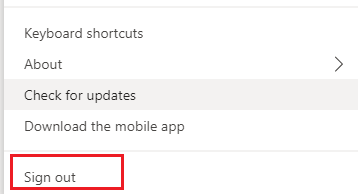
Any method to disable MS Teams sign out function /enable auto sign-in with same account after reboot
- Nov 08, 2019
No and no. Teams is an electron-based app, "traditional" configuration methods such as GPOs or registry keys are non-existent, and Microsoft is doing a good job ignoring our requests on that front.


Tero Voutilainen I've looked into this but the Teams room system is designed for bring your own computer and plugin deal. You can get the Tap devices but then you are limited to only Teams and Zoom meetings. We use Gototraining/meeting/webinar as well as other applications to run in the room which requires a full computer. There is need for computers to always be in conference rooms but only supported way is to literally have users login with their own credentials to build windows profile then launch teams and sign in and make sure they sign out of windows afterwards. Since conference rooms can be used by anyone we seperated its vlan from internal so it cannot authenticate to AD and so we use local account. We just created an O365 account with licenses for regular teams and logged it in and made it a resource to book. Issue is they can sign out of teams and sign in themselves and then its hard to sign out as pw is stored strangely.
 FranktBFeb 09, 2024Copper Contributor
jasonsch69 Have a look at kiosk-modus
- jasonsch69Feb 09, 2024Brass Contributorwe ended up rolliing out teams rooms to all of our conference rooms. has significantly improved reliability and user experience,