Forum Discussion

Alexey_Malahov
May 25, 2020Copper Contributor
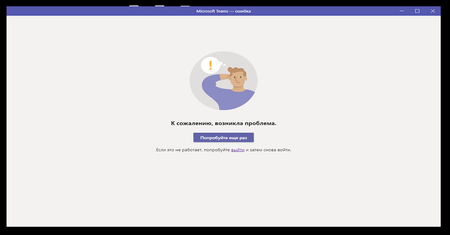
Again and again Message - "Try again."
Hi All, Opening MS Teams causes an error. The message is "Try again." A complete reinstall did not help. Deleted all folders Teams from % AppData%. Fresh client from the Microsoft site. Aft...

Alexey_Malahov
May 25, 2020Copper Contributor
Dear Prasannaraju
1) I think yes. Because all the following points are "yes"
2) yes, Teams on Web is works.
3) yes, on different PC desktop team is works.
1) I think yes. Because all the following points are "yes"
2) yes, Teams on Web is works.
3) yes, on different PC desktop team is works.

Prasannaraju
May 25, 2020Copper Contributor
Alexey_Malahov Could you please check whether your error code listed in the inline link
https://support.office.com/en-us/article/why-am-i-having-trouble-signing-in-to-microsoft-teams-a02f683b-61a3-4008-9447-ee60c5593b0f?ui=en-US&rs=en-US&ad=US
- Alexey_MalahovMay 25, 2020Copper Contributor
Prasannaraju
I saw this article. But she will not help me.
In my 1st post I wrote that the error at the bottom left is NOT displayed. PLS see screenshot.- PrasannarajuMay 25, 2020Copper Contributor
Alexey_Malahovhave you tried disable firewall, Proxy and antivirus on the affected machine?