Forum Discussion

Adding MS Planner tab in MS Teams error Failed to update plan
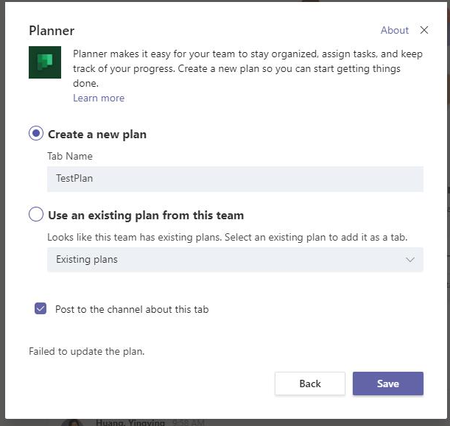

Has anyone else experienced this bug too?
It happened to my colleague too. And he's still not able to add a new planner or even an existing one as a Channel TAB.

Thomas_Steibl same thing happened to me. I believe this error occurred once I tried to edit the planners that were created in our ms team, on the planner website. I tried to remove access for members from planners that were created within the team, and when I did this the members were removed from the team entirely. I even removed myself from the team by accident and had to be added back in. Then when I was back in the team I could not access any of the planners anymore. I would get the message "You need permission to access this plan" and when I would click the button "request access to group" I would be led to a website that says "the resource cannot be found". When trying to create a new planner for myself in the group I got the same "Failed to create the plan" error you had mentioned. I had to have the other owner of the team (the one who was not deleted from the team) go into their planner website and add me to the planner they created for me from there. Once I was added everything went back to normal. good luck with you and your colleague.