Forum Discussion

Adding MS Planner tab in MS Teams error Failed to update plan
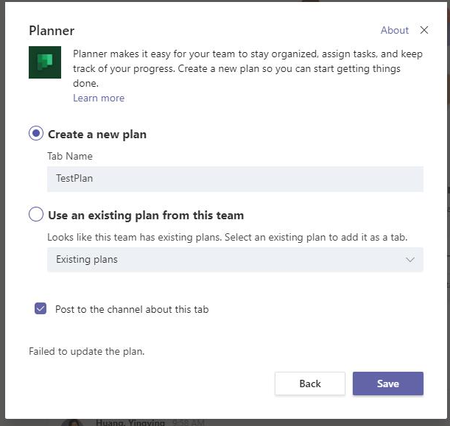

I deleted and created a new channel and that solved the problem for me...
 LAK_BradyJan 21, 2020Iron Contributor
Thomas_Steibl thank you for the suggestion. We did try deleting and adding a new channel - however the user was still unable to create a planner tab.
We were fortunate that the Team had not been used too much - so we deleted the entire Team and created a new Team - the user can create planner tabs on the new Team.Something with the original Team was not working - not sure what else would have caused that.
- Thomas_SteiblJan 29, 2020Brass Contributor
Has anyone else experienced this bug too?
It happened to my colleague too. And he's still not able to add a new planner or even an existing one as a Channel TAB.
 Benno-3612Mar 04, 2020Copper Contributor
Thomas_Steibl It looks as this is a known bug. See https://docs.microsoft.com/en-us/microsoftteams/known-issues (Section Tabs). The workaround: Members do not have a problem to add a planner. Therefore use a user who is member or change the role of your user temporarily. Did that help?