Forum Discussion

Adding Conversations inside MD Teams; using Outlook Vs using the MS Team desktop application
From Office 365 admin center i created a new MS Teams, which have automatically created a new Office 365 group + SharePoint Modern Team site. Also when i added members to the Office 365 group, the new MS Teams appeared inside the users' Teams desktop application.
Now there are 2 ways to add conversations to the MS Teams:-
1. using the desktop application >> Conversations tab, as follow:-
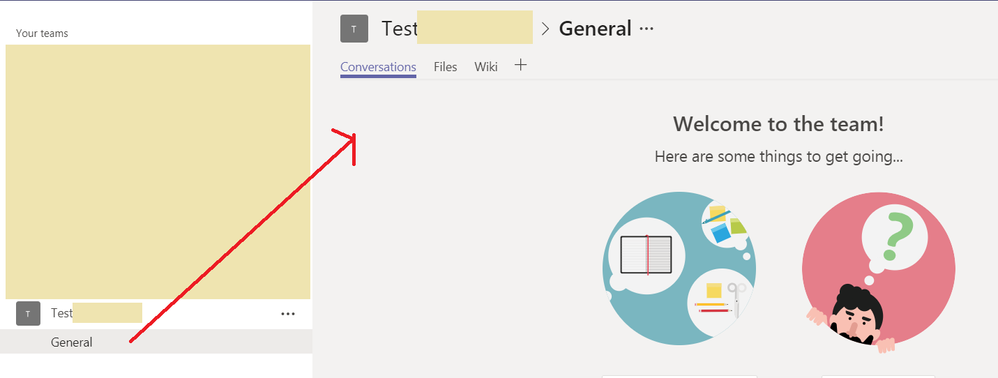
2. OR using the Conversation inside the sharepoint team sites >> which will actually open the users' outlook, as follow:-
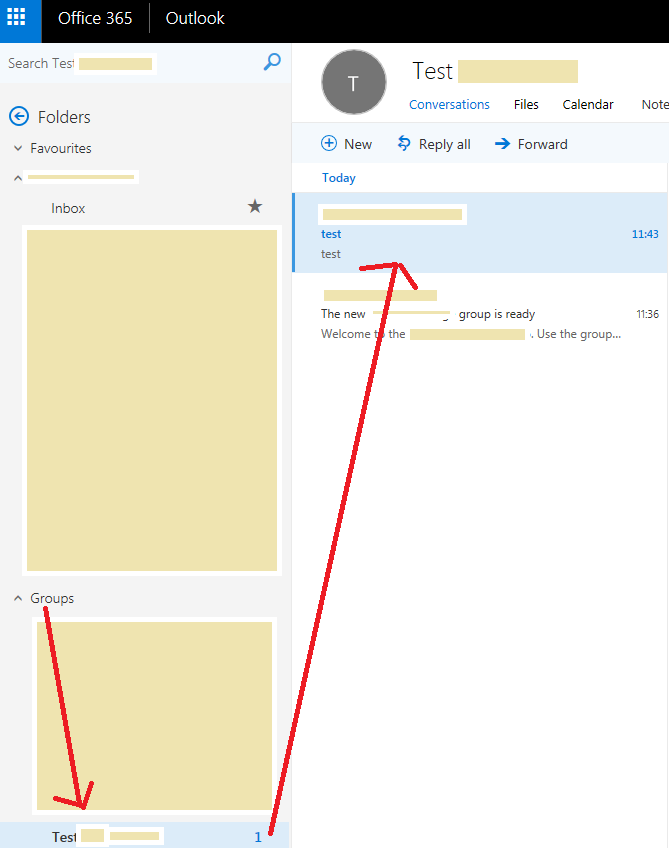
So my question is what are the differences between adding the conversation using outlook or using desktop application? as adding conversation using one method will not show it inside the other, for example i added a conversation using the desktop application, but it did not show inside the users' outlook accounts, while it showed inside the users' desktop applications....
9 Replies
- Ian MoranSteel Contributor
Confusing isn't it john john ?
Conversations inside Teams is a channel conversation
Conversations as visible inside the SharePoint site is a shared mailbox in Exchange so email to the office 365 group address will land here.
They are in no way related. I tend to remove the Conversations link in the SharePoint site if not used - to avoid this confusion amongst users.
 john johnSteel Contributor
Ian Moran wrote:Confusing isn't it john john ?
Conversations inside Teams is a channel conversation
Conversations as visible inside the SharePoint site is a shared mailbox in Exchange so email to the office 365 group address will land here.
They are in no way related. I tend to remove the Conversations link in the SharePoint site if not used - to avoid this confusion amongst users.
Ian Moran thanks for the reply.. but all the UI and the way they are presented makes users think that the 2 conversations are the same .... this is really confusing .
now in my case i want to have a conversation (chatting) features inside my sharepoint site (similar to conversation inside MS Teams desktop app), but we want to do the conversations from the sharepoint site itself using a web browser rather than using desktop app, so can we benefit from the conversation we got ?
- Ian MoranSteel Contributor
Think of it this way. First of all we had Office 365 Groups, with an associated group SMTP address. Email to the group landed here. This was great for support related groups - eg support@company.com. Everyone in the group could see the email and respond.
Then along came Teams. This is layered if you will on top of the Office 365 Group. Each channel in the Team has an associated SMTP address. The Team itself does not have an SMTP address - the underlying Office 365 group does.
How can this be used ? Well, you could still have email coming into the Office 365 group - visible as Conversations in the SharePoint site. You could then have internal discussions around this email inside a channel by forwarding that email into the appropriate channel (right click channel name to grab the address)
