Forum Discussion

"Sorry, something went wrong" error, had to switch to Google Forms due to this problem
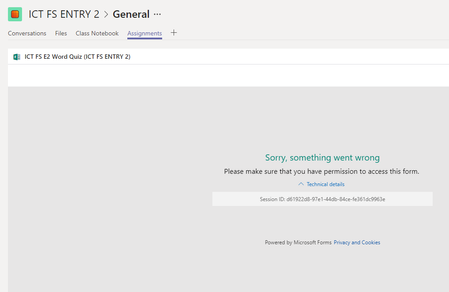

Hi Kevin, yes it is a form that all students on that Microsoft Teams have access too. What I have noticed is that this happens only to those forms that staff and students need to sign in to fill them. It doesn't occur to forms that are available to everybody via the link, that don't have to sign in.

The link used for the Tab in Teams is the standard Sharing link coming out of MS Forms, right (e.g. not the URL from the browser's address bar)?
- BesimgDec 05, 2018Copper Contributor
Hi Kevin,
The quiz is inserted via the insert button on Assignments section on M. Teams.
I have noticed that that error happens to other staff members who are added as owners, not students.
Check this attachment please, where I have put all procedure and the error
- Dec 05, 2018
I was wondering if you went to the MS Forms in the browser to get the sharing URL and then add it as a "web" tab rather than a "forms" tab if it would work differently. That said, sure looks like you're doing the right thing.
Sounds like you should escalate to your IT or Microsoft support team.