Forum Discussion

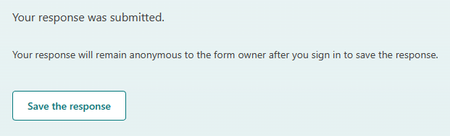
Turn off "Save the response"
 Jul 04, 2023Thanks for your feedbacks. Forms has added the setting to control the save response option. You should be able to view the change very soon.

You should give the form author to disable the feature on each form, that would be great. If you FIX the UI so that if you enable the feature it lets you know that you should save the link and it doesn't actually put a copy in your AD account, that would be great too. Or does it? You shouldn't have to guess on these things, and based on the justifiied comments, this needs to be revisited asap. We are trying to avoid this by using OLD forms.
 Microsoft
KProutyGLSS Thanks all of you for reaching out to us with your concerns and feedbacks. The purpose of logging in or creating an account after clicking the button is to enable respondents to easily recheck their responses. By logging into their account and accessing their MRU, respondents can conveniently find their previously submitted responses. The feature does not copy the response data into the respondent's account, it's only a link. To alleviate any confusion surrounding this process, the team is actively working on a new design to provide a clearer experience.
- MikeLyraJun 22, 2023Copper Contributor" a new design to provide a clearer experience."?
Just let us hide the button. Please.- ObiRickC137Jun 22, 2023Brass Contributoramen!
- jamielwatsonJun 20, 2023Iron ContributorYes this is not a helpful feature 😞
- ObiRickC137Jun 15, 2023Brass Contributor
GideonHuang after a few explanations, I can see how in a niche situation this feature might be useful. the problem is it was turned on and has no option to disable it. no amount of UI wording or explaining defends the decision to have this feature that is confusing, difficult to use, and has no use except for off handed situations. this should be tied to the ability to edit responses, IF you allow users to edit responses, enable this feature. if form submission is a one and done, get rid of it.
- KProutyGLSSJun 15, 2023Brass ContributorFurthermore, for our internal employees, this will bop them immediately into the Forms area in Office 365. Most employees have no idea what this area does at all. Our agency doesn't want everyone in the agency to send out forms from their official work accounts. They want it to be more controlled. And navigating back to our Intranet without being able to easily change the home button to a legacy site that has been upgraded to a new site with all of the page libraries deleted, doesn't make it easier for them to use the Intranet. The navigation is confusing enough already. And I can't believe that we are the only org in this boat.
- KProutyGLSSJun 15, 2023Brass ContributorWe are a nonprofit that caters to the older adult population. When we send out anonymous surveys to our constituents, they are confused enough already. Even when they give out their emails to be contacted, creating an account would confuse them. It isn't like they are creating a gmail account to actually get a gmail address or logging in with a known entity to them. They have NO idea what a Microsoft account is and how it connects to a Microsoft AD account.
- GrahamGoldingJun 20, 2023Copper Contributor
KProutyGLSS I have exactly the same problem. I was hoping to keep all our personal information within our 365 environment. Now we are using SurveyMonkey but our privacy policy restricts the information we share with SurveyMonkey.


