Forum Discussion

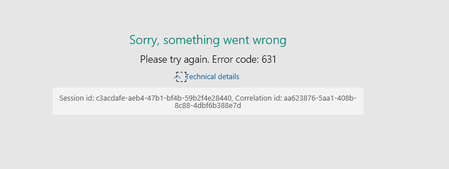
Form now wont open showing Sorry, Something went wrong
 Jan 11, 2018
Hi, Mathew,
I'm from Microsoft Forms team. Your form has been repaired. You can verify now.
We have found the root cause of this issue. We recently added a new question type Likert. If an user adds it, then deletes it quickly (like in 3 seconds), there is a small chance that the form would run into an issue.

Hi Frank Yan
I have a similar problem when loading the HomePage of Microsoft Forms.
The screen stay like that indefinitely :
Failed to load resource: the server responded with a status of 500 (Internal Server Error)
https://forms.office.com/Pages/DesignPage.aspx/GetResourceStrings
Thanks for you help.
 Microsoft
Hi, Philippe,
We seldom meet issue like this. I need ask several questions for troubleshooting:
1. At which steps you are meeting this? After sign-in with your username/password or before sign-in?
2. How long have you met this?
3. Does this issue happen under both company and home network?
4. On what browser are you hitting this issue? Have you tried using other browser?
5. Can you open my test form? https://forms.office.com/Pages/ResponsePage.aspx?id=v4j5cvGGr0GRqy180BHbR7ZBRokEW3tFkjW9xDZool5UOVdHNEsySDVXSE5aUUlOMDBEREUxTEpaNi4u
6. If you change your browser language to English, can you load successfully?
Thanks - Frank
 Braden ChaseDec 07, 2018Copper Contributor
I have this problem too!
It happens at my homepage and I can't get around it or do anything.
Update: Just got an email from a colleague and it seems to be affecting her too. We are in the same organization.
 Brittany AustinDec 07, 2018Copper Contributor
Getting the error here too for our organization. Any idea what it could be? We use this every Friday. Thanks!
-Brittany
- Kai ZhangDec 07, 2018
Hi Brittany Austin Braden Chase
Forms had a ongoing incident, which has been resolved now, could you please re-try? Thanks.
- Philippe DE-GROOTEJan 12, 2018Copper Contributor
1. At which steps you are meeting this? After sign-in with your username/password or before sign-in? I meet this problem before or after sign-in.
2. How long have you met this? I created a form ysterday evening. It was working well. Il could modify all the datas from the form like I wanted. I sent this form to people this morning. It was still running fine till the third our fourth answer.
3. Does this issue happen under both company and home network? Yes and it’s also failed trying whith my mobile, Ipad and PC.
4. On what browser are you hitting this issue? Have you tried using other browser? I trie to open Microsoft Forms with Microsoft Edge, Microsoft Explorer 11 and Google Chrome 63.0.3239.132 but with the same issue.
5. Can you open my test form? https://forms.office.com/Pages/ResponsePage.aspx?id=v4j5cvGGr0GRqy180BHbR7ZBRokEW3tFkjW9xDZool5UOVdHNEsySDVXSE5aUUlOMDBEREUxTEpaNi4u I’ve tried to do so but it doesn’t work. Same error : « Failed to load resource: the server responded with a status of 500 (Internal Server Error) »
6. If you change your browser language to English, can you load successfully? When I change browser language to English (american), I access my Microsoft Forms Home Page again but people who have to answer the form with the current link stil can’t load the form. If I send the new link, they can load the form again.
And finaly, if I turn back my language browser to french people can load form with both links. That’s great ! Thank you very much for your quick and efficient help ! Do you know the reason of this issue and if it may appear again ?
- Frank YanJan 15, 2018
Hi, Philippe, glad to see it working now. We've found an issue that impacted all users with French as browser language. The issue was already mitigated.
 Cori NewlanderDec 14, 2018Copper Contributor
I'm still having the same problem, even though this thread says it has been resolved. I have many forms that I reuse for surveys for my Tech Training classes. If I don't send them soon after my courses, people ignore them. My network team determined this is not on our side.
Help! Here's what I see: