Forum Discussion

File Upload option when creating Form produces error
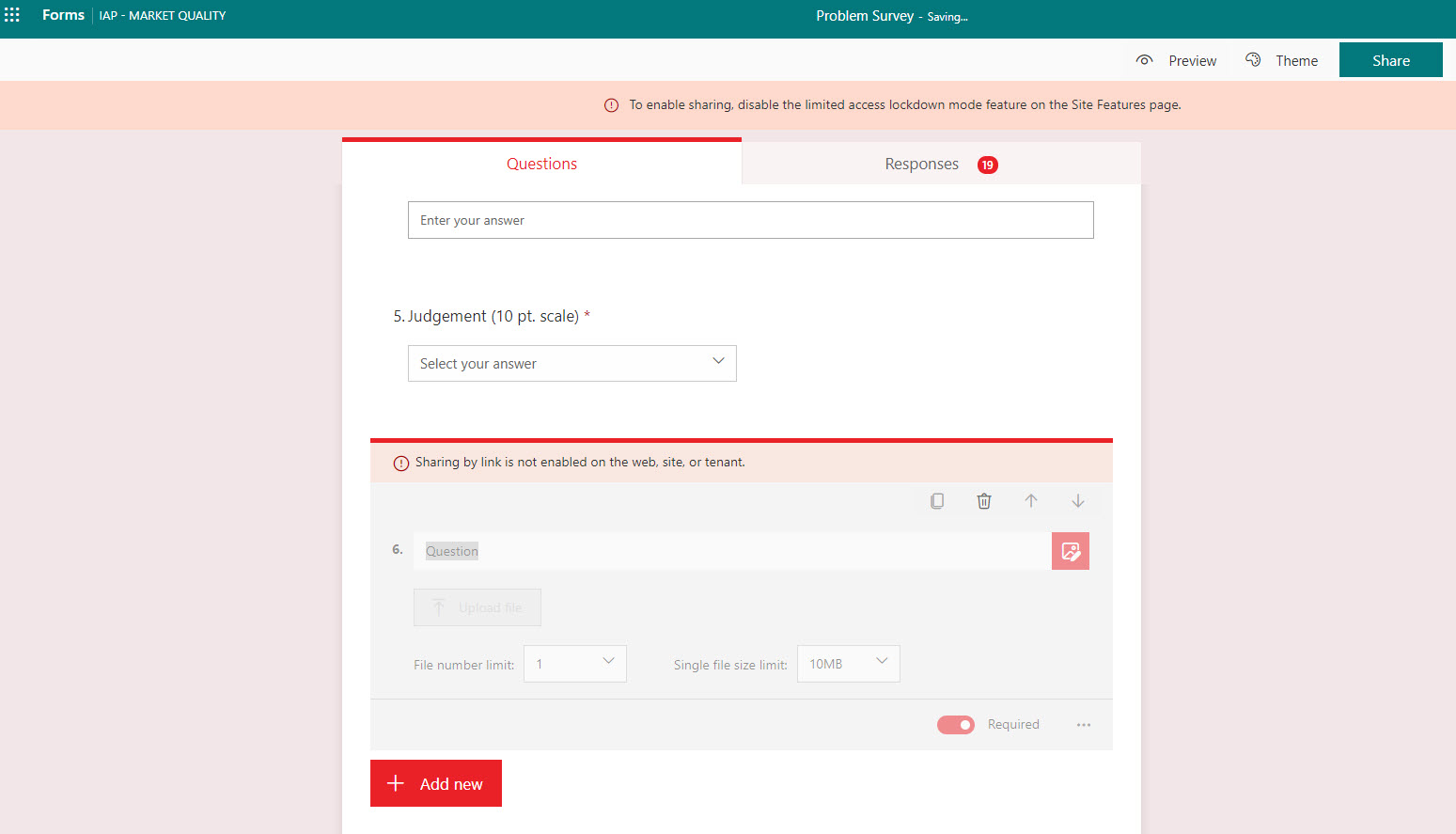
When creating a Form, I have the option for file upload, however when I select it, I receive the following error.
This form is for internal use only, and I have gone through all Site Features pages and verified the Lockdown option was not enabled. If anyone has seen this or can show me what I am missing, thanks in advance!
Hi dirkzwart ,
The File upload question type need you de-active the setting for "Limited-access user permission lockdown mode" for your OneDrive for business setting. Here is an article talk about how to verify / change the status of this setting:
Hope it helps.
Wenjun
3 Replies
- roblseamanCopper Contributor
dirkzwarthave you found a fix for this yet? I am having the same issue, and have checked site features to find this not enabled as well. I'm running out of options.
 dirkzwartTin Contributor
It started working for me after enabling the site features, but it took a few days for the setting to take. The combination of One Drive and SharePoint Admin Centers mildly helped.
 Wenjun Gong
Microsoft
Hi dirkzwart ,
The File upload question type need you de-active the setting for "Limited-access user permission lockdown mode" for your OneDrive for business setting. Here is an article talk about how to verify / change the status of this setting:
Hope it helps.
Wenjun