Forum Discussion

ccarcallas
Jan 28, 2021Copper Contributor
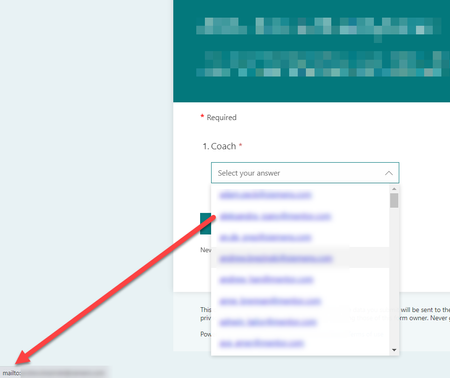
Clicking on an email address in a drop down list opens up Outlook
I have a form with one of the fields being Email Address (~100 entries). When our users get to this drop down, the list is shown as a hyperlink list of email addresses. Naturally, when they click on ...

RobElliott
Jan 29, 2021Silver Contributor
ccarcallas Forms automatically recognises the @ symbol and the . dot extension and creates the hyperlink automatically. The only way you can really get round this is to replace the @ and the dot with some text, for example [at] and [dot]:
Rob
Los Gallardos
Microsoft Power Automate Community Super User

jerome190
Mar 17, 2025Tin Contributor
mike4465, I tried emsneds suggestion by replacing dot with one dot letter and it does not show the hyperlink and send email to the specified person email address in a start and wait for approval action. Basically, it looks like a square in Notepad++ and you could see the difference in the above image.
Yours,
