Forum Discussion

New investment tracking template uses data types, STOCKHISTORY function
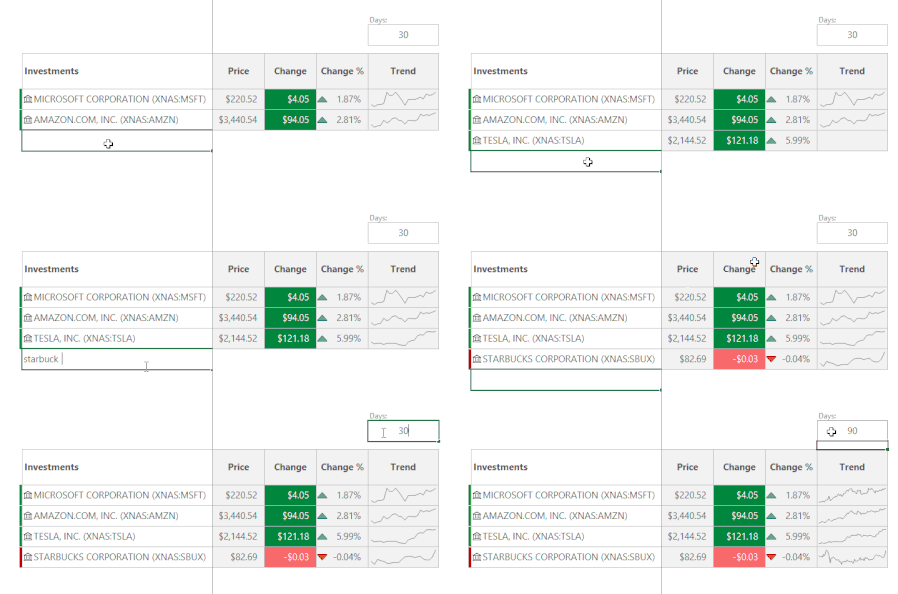

Evan_Bolin I have the Stocks Data type, but the STOCKHISTORY formula is not available. It strange that I would get one without the other. When will the formula be released to Office Insiders? Please let me know.
Thanks
Scott
 HugoRicci111Oct 27, 2022Copper ContributorI believe that investing can bring you financial stability. It does not matter where you will invest your money. But it's important to invest wisely. I learned that from a friend who works for https://wealthpursuits.com/angel-investor-statistics/ . So thank you for the shared information. This gives us an overview of how to properly invest. Because nowadays, everyone is investing, and there is an overload of information on this subject. So it's pretty hard to find consistent information about investing.
- Evan_BolinSep 16, 2020Former Employee
Hello Scott Moskowitz ,
The STOCKHISTORY function is currently only available to a portion of Office Insiders on the Beta Channel while it's being optimized over the next several months. When it's ready, it will be released to all Office Insiders. Unfortunately at this time, we don't have a specific date for when that will be.
Cheers,
Evan
 fdamaralNov 12, 2022Copper Contributor
Hi Evan_Bolin !
I have the same issue. It was working fine before but since a week or so ago it stopped working and I get #VALUE! instead 😟
 john_thinggaardSep 18, 2020Copper Contributor
are there any release date on this for Excel office 365 subscribers?
Thank you
Kinds regards
John
- Evan_BolinSep 18, 2020Former Employee
Hello john_thinggaard,
Unfortunately nothing has been announced for when this feature will be available to the general public on Microsoft 365 subscriptions. You can keep an eye on the Excel blog section for any announcements.
Cheers,
Evan
