Forum Discussion

PS83Tech
Oct 03, 2024Brass Contributor
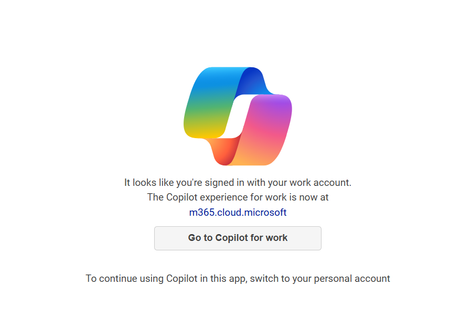
New copilot app can't switch from work to personal account
I installed the app from the Windows 11 store yesterday, and it was working fine just like it did on my mobile app. I made sure I signed in with my personal Microsoft account on both. Today, whe...
 Oct 06, 2024
Thank you very much for this. For those who are still having issue after the Windows 24H2 update, clear Copilot associated cookies by following the instructions below:
In Edge, select Settings and more > Settings > Cookies and site permissions.
Under Cookies and data stored, select Manage and delete cookies and site data > See all cookies and site data and search for the site whose cookies you want to delete.
- Search for Copilot in the list of saved cookies, and then delete them all. This should reset the Copilot app and restart the App with a fresh setup.

PS83Tech
Oct 07, 2024Brass Contributor
And it stopped working again and went back to the work account.
- Michel-EhlertOct 08, 2024Brass ContributorAfter removal of cookies, sign-out of work account, restart the app. You should now be able to successfully switch to personal account (if it still starts with work/school account).
In my case, you can still switch back to work/school account, and get see that notification to switch to personal account, which in my case does switches back successfully.  babygmanOct 07, 2024Copper Contributor
PS83Tech other way in Edge I create profile one for personal and one for work account for switching. Then at Copilot has 2 profiles for switching also.
- prisyazhnyukvladimirOct 14, 2024Copper ContributorThanks, works for me as well!
 RimportanteOct 07, 2024Copper Contributor
babygman This one works! Thanks.
