Forum Discussion

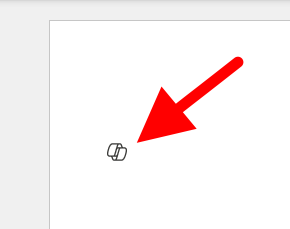
I want to turn off or hide the draft with copilot dingbat that follows my cursor around in MS Word.
 Jan 17, 2025
Found it, and unchecking the box worked. From inside of Word, File-->Options-->Copilot.

I am with you there, I detest and loathe this nagging encouraging of using Co-pilot when I am pefectly happy with Word as it stands and I a perfectly capable of makin my own decision son how to paste something FFS! What kind of moron does Microsoft take me fo?
sb_geo_advisoryMicrosoft, like all other corporates cater to the lowest common denominator, so they think everyone is moronic. To add to this, if you go to the FILE menu, OPTIONS, COPILOT and the DISABLE COPILOT it should go away.
 NonamenowFeb 03, 2025Tin Contributor
Thank you. Sadly, this does not work for me. After almost an hour on the phone with microsoft, I am told that they are working on a fix for Chromebooks. I think I have the final solution. I am going back to Wordperfect.
- sb_geo_advisoryJan 20, 2025Brass Contributor
Great Dusty_1. that works fine for me, thank you! Now I realise this should be a different thread, but PowerPoint and Excel don't yet have the option to DISABLE COPILOT, only the privacy option disconnetcing from Optional Connected experiences, which results in being told to re-start Office to update privacy settings when I have just started Office / PowerPoint - grrrrrrr! Oh well, its better than nothing!
 greatgigJan 16, 2025Copper Contributor
THANK YOU SO MUCH THIS WAS MAKING ME INSANE
- MegMurphyJan 16, 2025Copper Contributor
THIS!!! all other suggestions should be removed and this be the only one! Thank you so much Dusty_1!!
 Chris_JJan 16, 2025Copper Contributor
My Microsft Word 365 doesn't have COPILOT under FILE / OPTIONS, so I can't disable it - which I would very much like to do.
- cfinnieJan 18, 2025Copper Contributor
Mine doesn't either. But I use it on a Mac, and the Mac versions are often different. The funny thing is that I was on vacation for my 50th birthday when a guy in a shop in Victoria, BC told me how to get rid of Clippy (which was another extremely intrusive and annoying MS "feature" for you younger folks). It was the best birthday present I got. Now I'm almost 75 and I find myself in the same situation. I'm hoping something on this list offers the same gift.
 theDolphinJan 16, 2025Copper Contributor
THANK YOU Dusty. That's the only solution I've found that's viable and there are tons of us seeking it. So appreciate this.
 KranikaJan 16, 2025Copper Contributor
This is the only solution that works