Forum Discussion

Using EnterpriseExtFileSystem CSP to Deliver File to Windows 10 Mobile Device
- Jul 24, 2020
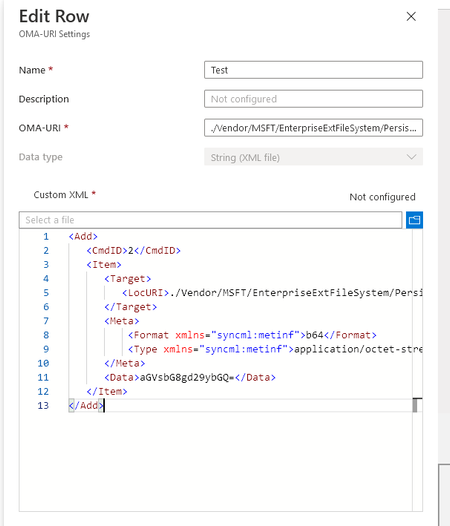
I was finally able to get it to work. I changed the .txt file containing the Base64 encoded data to a .bin file and uploaded that under the Base64(File) data type. The file delivered and was converted back to the plain text where the device could read the scanner settings. I would like to thank you for talking this through with me! Much Appreciated!

Hey Lewis-H,
that's the paragraph from the docs article. Not sure what you are trying to say, but it describes the CSP and how content is embedded into the syncML. But still the problem is we can't define the syncML by our own, Intune constructs it for us and we only have options for the OMA-URI and the data value... that's the problem. The only viable option would be base64 which was already tested and didn't work...
best,
Oliver

I was able to get Intune to say that the configuration profile was successfully applied, but it did not seem to correctly deliver the file. What I did was I took the Base64 encoded data and saved it into a .txt file, then changed the file type to a .crt file. I then was able to import that file using the Base64(file) data type, which just pulled out the Base64 encoded data and displayed it below.
The problem is that the device scanner isn't behaving as expected, so even though it was successfully delivered, the file conversion may have corrupted the data that was sent down. At this point I am out of new ideas, I thought I was on to something here for a minute.