Forum Discussion

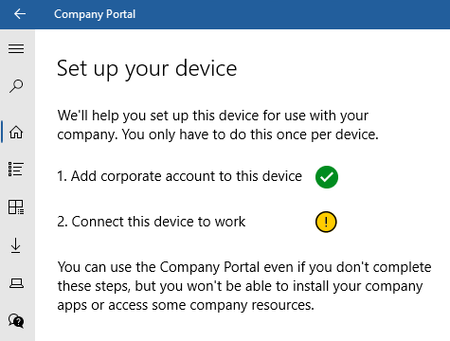
Trying to learn Intune - stuck at MDM "Your device is already being manged by an organization"
- Nov 23, 2020
The issue has been resolved. The default configuration was for MAM user scope to be set to All when it needs to be set to None.
To get to the correct screen, go to Microsoft Endpoint Manager, click Devices, Enroll Devices, click Automatic Enrollment. Changing MAM from All to None, unmanaging the devices currently in AAD, then adding them again via the Company Portal store app.


I stumbled on your post while trying to find an answer to a similar problem. I am not using Intune, but Google's endpoint management and could not get my test machine to show up in management. Since I found my answer, I thought I'd share what I found on the off chance that the issues are the same.
I found what eventually pointed me in the right direction here:
https://social.technet.microsoft.com/Forums/en-US/f2d29524-afce-42ab-9e48-673813c74c4e/unable-to-reenroll-windows-10-1803?forum=microsoftintuneprod
I had to look in the Registry here:
HKEY_LOCAL_MACHINE\SOFTWARE\Microsoft\Enrollments
I found an incorrect account address listed in one of the keys; the string value named "UPN" had a different account that I had used in testing. Since you mentioned that you are new and in the pilot stage, I thought perhaps you might have also attempted enrollment on this a time or two before.
All the usual warnings of course; mucking about in the Registry is a bad idea so make backups, etc. I have no idea if my fix will translate to a fix for you. I hope that it does.

