Forum Discussion

U2020107
Aug 16, 2020Copper Contributor
MDM WIN10: Block applications that do not have administrator privileges.
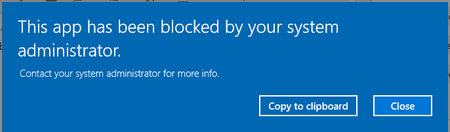
Windows Intune MDM for Windows 10 Applications like Google Chrome can be installed without privilege, as with Windows Server, we are looking for a Policy in MDM to block this. In order for the us...

Moe_Kinani
Aug 16, 2020Bronze Contributor
Hi U2020107,
I would use Windows Defender Application Control. You can apply on Windows Server!
https://docs.microsoft.com/en-us/windows/security/threat-protection/windows-defender-application-control/deploy-windows-defender-application-control-policies-using-intune
Hope this helps!
Moe
I would use Windows Defender Application Control. You can apply on Windows Server!
https://docs.microsoft.com/en-us/windows/security/threat-protection/windows-defender-application-control/deploy-windows-defender-application-control-policies-using-intune
Hope this helps!
Moe
 U2020107Aug 17, 2020Copper Contributor
Thank you for your advice, but it's not working. Unfortunately, it doesn't.
In the case of Google Chrome it can be installed without any problem 😞
- Thijs LecomteAug 17, 2020Bronze ContributorI think your only option here is to use Applocker - https://docs.microsoft.com/en-us/windows/security/threat-protection/windows-defender-application-control/applocker/applocker-overview
