Forum Discussion

Magger777
Feb 09, 2023Tin Contributor
Issues with WIN32APP USER Installation behavior
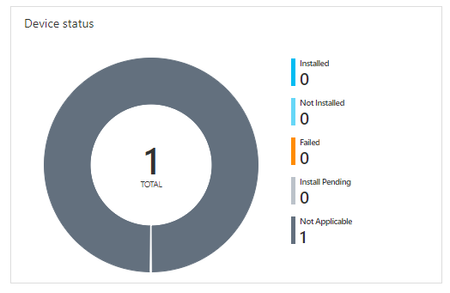
Hello everyone, whenever I set the installation behavior of an WIN32APP to user it won't start and sets it to "Not Applicable". I wanted to copy files to %APPDATA% thats why i choose USER....

Magger777
Feb 09, 2023Tin Contributor
1. This is the Script I like to install:
copy "File.ttf" "C:\Users\%username%\APPDATA\Roaming\Microsoft\Templates"
copy "Normal.dot" "C:\Users\%username%\APPDATA\Roaming\Microsoft\Templates"
copy "Normal.dotm" "C:\Users\%username%\APPDATA\Roaming\Microsoft\Templates"
2.
3.

Feb 09, 2023
Ï assume that script is just a install.cmd script or something like it?
What happens when changing the copy to part to %appdata%\microsoft\templates" instead of using %username% in it.
What happens when changing the copy to part to %appdata%\microsoft\templates" instead of using %username% in it.
- Magger777Feb 09, 2023Tin ContributorIt's a .bat but that won't make a difference, right?
I tried it with %APPDATA% before but changed it because in the link you've provided it says not to use %APPDATA% but C:\Users\%username%\APPDATA\and_so_on.
Both have the same result.- Feb 09, 2023
In that blog i was refering to the detection rules and the %appdata% variable...
but still the not applicable message.
1. How did you assigned it ? user group or device group?
2. Device aadj/aadr or haadj? (assuming you are not using sccm)Also maybe the IME log should show you some thing
- Magger777Feb 09, 2023Tin Contributor1. It is assigned by device group.
2. Hybrid Azure AD Joined
System Installations work fine btw.
I've pulled the IME but I just can't find the CMTrace Tool on my device. Can you tell me how to install?