Forum Discussion

First Time Using Microsoft Intune
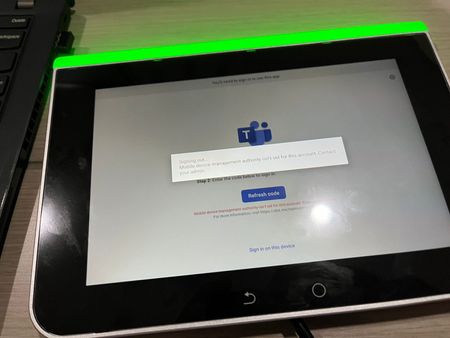

luthfi1350 Hi, here is how to configure Microsoft Intune as an MDM authority:
1. Log on to Microsoft Endpoint Manager:
Open your browser and go to Microsoft Endpoint Manager Admin Center.
Log in with your global administrator credentials.
2. Set the MDM authority:
After logging in, in the left menu go to Devices.
Under the Device Registration section , click on Register Devices.
You should see an option to configure theMDM Authority.
If it is still displayed as Unknown, click on the button for Set MDM Authority.
Select Microsoft Intune from the available options.
https://learn.microsoft.com/en-us/mem/intune/fundamentals/mdm-authority-set

micheleariis I didnt see the device registration. Anything wrong with my Intune Manager? Because when i search Microsoft endpoint manager on google, just intune manager came up.
Big thanks for your help.
- micheleariisOct 25, 2024MCT
luthfi1350 If you go to Tenant Administration - Tenant status what do you see on MDM authority?
- luthfi1350Oct 25, 2024Copper Contributor
micheleariis MDM authority is unknown. i'll attach the picture
- micheleariisOct 25, 2024MCT
Sign in to the Azure Portal:
Go to portal.azure.com and sign in with your administrator credentials.
Sign in to "Azure Active Directory":In the left menu, select Azure Active Directory.
Verify the MDM authority settings:In the Mobility (MDM and MAM) section, look for Microsoft Intune.
Select Microsoft Intune and check if it has been configured as an MDM authority.
If it has not been configured, you can set it here.
Set the MDM authority:If the MDM authority is still set to Unknown, you will find the option to set it as Microsoft Intune.