Forum Discussion

Microsoft Entra provisioning Agent Error
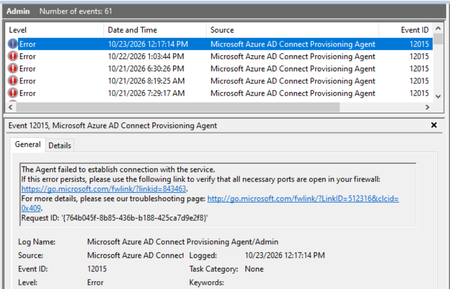

Your screenshots show provisioning-agent Event IDs 12015 and 12011, rather than WinHTTP return codes. The first says the agent failed to establish a service connection; the second says it failed to download a client request. Interpreting those numbers as WinHTTP login or option errors would therefore be misleading.
A healthy portal status and successful synchronization do not identify the cause of those intermittent events. Start by correlating each event's timestamp and request/transaction ID with the agent trace and Squid logs. Microsoft's documented trace location is C:\ProgramData\Microsoft\Azure AD Connect Provisioning Agent\Trace; Export-AADCloudSyncToolsLogs can collect additional diagnostic detail.
Then check the failing destination against Microsoft's complete Cloud Sync endpoint list, including certificate-validation endpoints, and verify the agent's documented defaultProxy configuration. Microsoft advises against inline TLS inspection on this communication path. If the logs do not identify the failure, provide the correlated bundle to Microsoft support rather than assuming harmless retries.