Forum Discussion

Word 365 version confusion
- Jun 26, 2018
That is correct, unfortunately, you wouldn't get full access to the Office program functionality you get with Office 2016 that's part of your subscription, only what's available through the web browser or with the Android apps.
As you have discovered that's more limited, though new features are being added every month to the mobile apps, there is even an Insiders program to get features sooner (details https://products.office.com/en-gb/office-insider?tab=Android and https://support.office.com/en-us/article/what-s-new-for-office-insiders-c152d1e2-96ff-4ce9-8c14-e74e13847a24#Platform=Android).
I imagine that won't be sufficient though and yes, you may have to consider an alternative. Chromebooks are great but this is one thing they can't do.

Hi, it's a good question, there are two options, first, you can't install Office conventionally like you could with a PC or Mac, as Chromebooks don't work that way. To recap, there is either Office Online, the web version of Office or the Office mobile apps, the Android apps which are supported on some Chromebook models, which is what you are using:
https://support.office.com/en-us/article/how-to-install-and-run-microsoft-office-on-a-chromebook-32f14a23-2c1a-4579-b973-d4b1d78561ad
https://sites.google.com/a/chromium.org/dev/chromium-os/chrome-os-systems-supporting-android-apps
You won't get all the functionality of the full Office 2016 programs but you get commonly used features and as a qualifying Office 365 subscriber, you get access to more features in the mobile apps when you sign in.
https://support.office.com/en-us/article/What-you-can-do-in-the-Office-apps-on-an-Android-iOS-or-Windows-mobile-device-with-an-Office-365-subscription-9ef8b63a-05fd-4f9c-bac5-29da046833ea
https://products.office.com/en-us/office-resources#android-features-section
So there are a few factors that come into this.
 Richard FarrJun 26, 2018Copper Contributor
Oh wow.
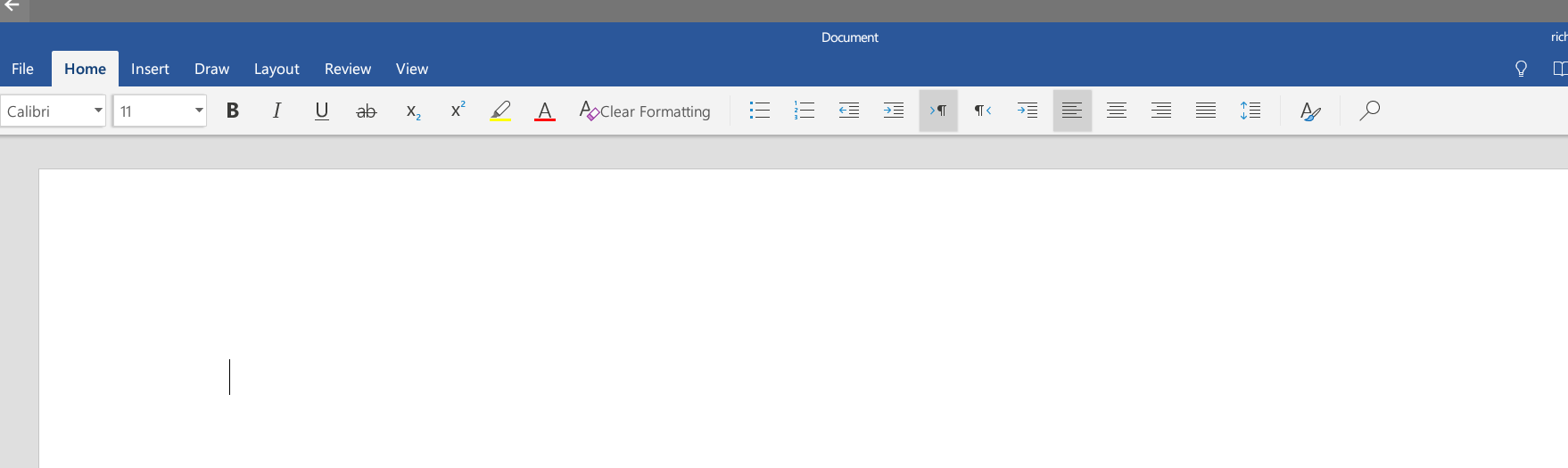
Let me be sure I'm clear on this. I have a 365 "qualifying plan" - Office 365 Personal. But you are saying that, because I'm on a Chromebook, I in fact *cannot access* a full-blown version of Word at all, only this stripped-down version.
It's important I get this right. I did extensive research on Chromebooks, and switched to one partly on the understanding (after reading dozens of web pages on the subject!) that I could use (not just some features of Word, but) the full Word program through a 365 subscription.
If that's not true, it's a complete deal-killer for me and I just either wasted a lot of money or will have to try to return the Chromebook ... I work in complex documents and alas, what I am seeing as Word 365 is essentially useless to me.
- Cian AllnerJun 26, 2018Silver Contributor
That is correct, unfortunately, you wouldn't get full access to the Office program functionality you get with Office 2016 that's part of your subscription, only what's available through the web browser or with the Android apps.
As you have discovered that's more limited, though new features are being added every month to the mobile apps, there is even an Insiders program to get features sooner (details https://products.office.com/en-gb/office-insider?tab=Android and https://support.office.com/en-us/article/what-s-new-for-office-insiders-c152d1e2-96ff-4ce9-8c14-e74e13847a24#Platform=Android).
I imagine that won't be sufficient though and yes, you may have to consider an alternative. Chromebooks are great but this is one thing they can't do.
- Richard FarrJun 27, 2018Copper Contributor
Thanks for your help anyway.