Forum Discussion

GV IT
Jan 14, 2019Brass Contributor
user received alot of spam mails
one of my users received alot of spam mails overnight. is this a O365 issue

Kashu855
Jan 14, 2019Tin Contributor
In order to anlayze the details i would suggest you to do the following steps:
1.Get the message header of some emails and share the same(https://support.office.com/en-us/article/view-internet-message-headers-cd039382-dc6e-4264-ac74-c048563d212c)
2.run a message trace from exchange admin center by adding the recipient email(affected user):https://docs.microsoft.com/en-us/exchange/monitoring/trace-an-email-message/run-a-message-trace-and-view-results
I have attached the links for the steps to run a message trace and get the internet headers of an email(make sure your are getting the header from the user inbox not a forwarded copy of the same email)
Once you have the above two informations kindly share the same.
(Note: please do not mind the spelling mistakes)
1.Get the message header of some emails and share the same(https://support.office.com/en-us/article/view-internet-message-headers-cd039382-dc6e-4264-ac74-c048563d212c)
2.run a message trace from exchange admin center by adding the recipient email(affected user):https://docs.microsoft.com/en-us/exchange/monitoring/trace-an-email-message/run-a-message-trace-and-view-results
I have attached the links for the steps to run a message trace and get the internet headers of an email(make sure your are getting the header from the user inbox not a forwarded copy of the same email)
Once you have the above two informations kindly share the same.
(Note: please do not mind the spelling mistakes)

GV IT
Jan 14, 2019Brass Contributor
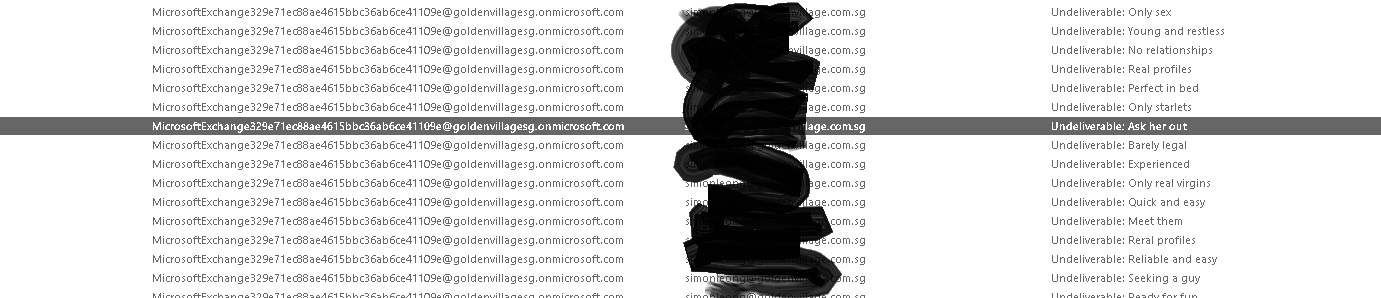
we just realized that this user is not only receiving spams.
his email is sending out spam mails since yesterday afternoon.
one every 3-4 mins.
beside changing password what else can we do ?
his email is sending out spam mails since yesterday afternoon.
one every 3-4 mins.
beside changing password what else can we do ?
- Kashu855Jan 14, 2019Tin ContributorFollow the steps mentioned in the article:
https://blogs.technet.microsoft.com/office365security/how-to-fix-a-compromised-hacked-microsoft-office-365-account/
And make sure you check if someone else has permission on this mailbox and i would suggest you check for mailbox audit log( if it is turned on) for anu unusual sign ins.
You may also get the azure sign in logs from the azure AD portal.
Turn on Multi factor authentication for this account immediately.- Jan 14, 2019Yes! Do the steps above! Then take preventative action next like considering MFA for all accounts , make sure if not already, to set up SPF, DKIM and DMARC to prevent spam, spoofing, phishing etc..
https://docs.microsoft.com/en-us/office365/securitycompliance/use-dmarc-to-validate-email
https://docs.microsoft.com/en-us/office365/securitycompliance/use-dkim-to-validate-outbound-email
https://docs.microsoft.com/en-us/office365/securitycompliance/set-up-spf-in-office-365-to-help-prevent-spoofing
Adam- GV ITJan 14, 2019Brass Contributorhave changed the user email password.
the spams have stopped.
have checked there is no mailbox delegation.