Forum Discussion

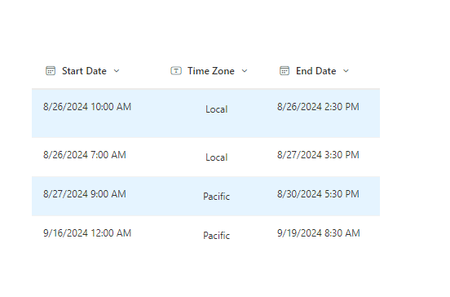
SharePoint List Calculated End Date Column Not Displaying Results to Other Users

-
Check Permissions: Ensure that the other SharePoint owners and users have the necessary permissions to view the calculated column. Sometimes, permissions might get altered unintentionally
- Column Settings: Verify that the calculated column is set to be visible to all users. Go to the list settings, find the calculated column, and check its settings
-
View Settings: Make sure the view that other users are accessing includes the calculated column. Sometimes, custom views might not display all columns
-
Recalculate: Try to force a recalculation of the column by making a minor edit to the formula or by updating an item in the list

Kidd_Ip Thanks for the reply. I troubleshooted as suggested prior and nothing. I recreated the list and found the problem. The issue was a glitch in the formatting. I never touched the formatting, for some reason the formatting of that column was activated causing the view to be unseen by users. That was weird. Thanks again.