Forum Discussion

Shared Mailbox Permissions
- Mar 14, 2019
Hi Marvin
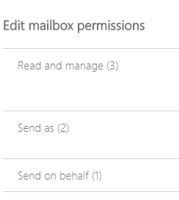
You can set Send On behalf permissions... you do not need to add read and manage if you only want a user to have send on behalf permissions only.
Thanks
Robin Nishad
Sr Consultant

As far as I know Technically it is not possible.. as a work around... what you can do is change the Outlook Reading Pain settings.... Go To View - Reading Pane - Options - Uncheck the first two Options - mark items as read when viewed in the reading pane & Mark Item as read when the selection changes...
This will keep the mail as unread until a user opens it in a Separate window. i.e pop up window..
However in case of multiple users you may have to change the settings on every PC... So this is just a work around...
Thanks
Robin Nishad

This is not a solution for a group reading emails. Even if you reconfigure each workstation as suggested, as soon as the first user marks the message as read, the message is marked as 'read' for all users.
The desired effect is not a group message queue rather a single mail repository for the common dissemination of information (market conditions, global trade information, etc.) that can easily be managed.
- Rnishat0786Apr 09, 2019Iron Contributor
As suggested earlier the option you are looking for is not possible. I simply provided a work around.
Thanks
Robin Nishad