Forum Discussion

Setting "Anyone" share link permissions on individual sites in Sharepoint
- Dec 14, 2017
- The script updates the setting only for existing sites.
- Correct.


Thanks Salvatore Biscari, good point. The new SPO Admin Center has the new modern site collections on it, but I have not heard an ETA for GA. The preview right now shows all of them but there are very few controls yet.

Thanks for the reply Salvatore Biscari.
In the documentation you reference, there is a script that will "Updating the sharing setting for all sites in a tenant."
Two Questions, if I may:
1) Will this modify the sharing setting for all current and FUTURE sites, or would this need to be run again when new sites are created?
2) Just to be clear, the parameter ExternalUserAndGuestSharing is the one that will turn on anonymous sharing permissions (Anyone), correct?
Thanks again,
Ken
and continued thanks to Andrew Mueller
- Salvatore BiscariDec 14, 2017Silver Contributor
- The script updates the setting only for existing sites.
- Correct.
- Ken HardinDec 14, 2017Copper Contributor
Thanks!
- Ken HardinDec 29, 2017Copper Contributor
Salvatore Biscari Hello Again, Mr. Biscari:
I have attempted to run the Powershell script as directed (see attached for mods) and I get a bunch of red (I assume error) feedback from Powershell prior to the closing "External Sharing Capability updated for all sites." message displaying.
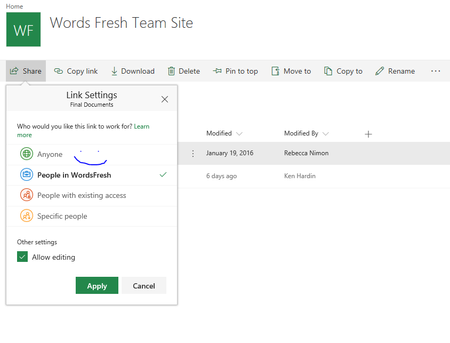
And, predictably, the Anyone Sharing setting has not changed in the Sharepoint interface.
Can you refer us to some source that can handle this task for a fee, etc.? Candidly, we never expected to have to suss out running a script to set a very basic permission such as File Sharing on what is marketed as a SaaS solution, and are simply out of out depth here, I am afraid.
I have attached our edits to the script, in case we have simply made some obvious blunder.
Thanks so much for all your help.
Ken