Forum Discussion

Refine search after semi annual from build 1803 to 1808 on Remote Desktop Server

Hello Steven538,
First i suggest to login as administrator in your outlook, then pls. go to your Home Tab - Options. In that Options window select "Search" in left navigation. Next window appears. In bottom left corner there must a hyperlink to start the issue tracking wizzard for the refiners and search tools in Outlook (365/16/19). Check each of the options, if some of the settings for reaching the refiners have changed. Pls. ask your Users, on which refiners (search keywords) they don´t get the result they want to see.
Then: pls check this article on the security updates in Outlook: https://cve.mitre.org/cgi-bin/cvename.cgi?name=CVE-2018-8587
Hope that helps. Greets, Eva.

Hi Eva Vogel,
Thank you for the reply. I do not see a hyperlink to start the issue tracking wizard.
My search options screen looks like this (see screenshots)
You also see that the refine search options are greyed out.


- Eva VogelJan 22, 2019Iron Contributor
Hi Steven538!
Thx for your screenshots!
I think you should click on that button on the top right to upgrade the search, see my screenshot and there is also a button to see the advanced options "Advanced", which indexed sites are relevant to search. If your Search tools are deactivated, you have to define that indexing sites (onenote, onedrive, etc.). Otherwise Outlook doesn´t know where to search on.
- Steven538Jan 22, 2019Copper Contributor
Hi Eva Vogel,
When clicking the link to upgrade my search engine i get redirected to a download site of Microsoft for windows search 4.0 for windows vista.
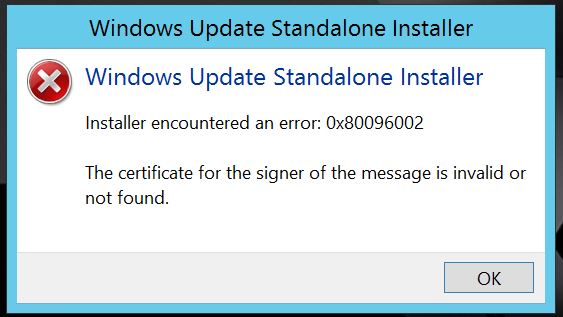
When downloading that file and trying to install I get an error (see screenshot).
This function always worked in build 1803. Semi annual update channel had a update last week to build 1808 and since then it doesn't work.
We tried the other update channel last year and we had this same issue, we could then resolve it by reinstalling office with the semi annual update channel.
- Eva VogelJan 22, 2019Iron Contributor
Hi! OK, now It see!
Search tools with windows Vista in combination where always tricky, that search tool first was designed for Outlook 2010 und Windows 7 and above versions. So you have windows vista for OS... mpfh... According to the security updates in your latest Outlook / Office Update it doesn' t work together anymore. I am so sorry. You have to upgrade at least on Windows 7 or better on Windows 10. Pls check out your upgrade possibilities for your devices like that: https://support.microsoft.com/en-us/help/22882/windows-vista-end-of-support