Forum Discussion

Muhammad Ali Khan
Dec 10, 2018Copper Contributor
Outlook (365) Need Password - Issue
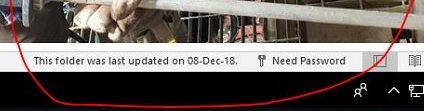
Hi, We are using E3, outlook 365 in our company. Some of our users' outlook stop sync with exchange and ask for password, as shown in below image: to fix the issue, I clear entries i...
- Dec 13, 2018Hi Muhammed,
Add the Registry key as advised in the article
We've been seeing this for more than 6 months sporadically and again same for one computer today. There was no recent password change but suddenly behavior as described here. Adding this key and setting it to 1 fixed the issue with no reboot. We're seeing this reported by a very small number (half or a quarter percent maybe?) of the clients that we manage.
Best, Chris


BEBaker
Jun 01, 2022Brass Contributor
BEBaker I have gone a couple weeks now and even though I followed the solution of eliminating the accounts in the Email & Accounts section of settings, both my system at work and at home have had the Need Password error return about every 48 hours requiring a system reboot.
Would love to hear if anybody has had any long-term success.

SeansPCPowerIT_Service
Jun 01, 2022Copper Contributor
I have had long term success. This may not work for everyone. I was using M365 subscription software. Outlook kept asking Need password, could never get the box to come up to enter. Uninstalled 365 and installed Office Professional Plus 2019. Signed in with my personal Microsoft account. Now occasionally asks for password but sign in box appears, enter password and works. I think what's happening is the sign in box is being suppressed or blocked/stays minimised within Outlook. No idea why.
- BEBakerJun 01, 2022Brass ContributorYes, that is correct...the dialogue box where the password would be entered flashes for a millisecond and then disappears. I have the E3 subscription and have uninstalled office and reinstalled it a couple of times while working with three different MS technicians but to no avail. I have the 2016 currently installed. I will try the 2019 version. Thank you.
- SeansPCPowerIT_ServiceJun 01, 2022Copper ContributorPlease note Microsoft Office Professional Plus 2019 is a perpetual software license, not an annual 365 subscription. But you can test with a free trial to see if this resolves issue before purchasing.