Forum Discussion

Parsing Microsoft Forms Likert questions using Flow

- Haniel_CroitoruAug 18, 2018Learn Expert
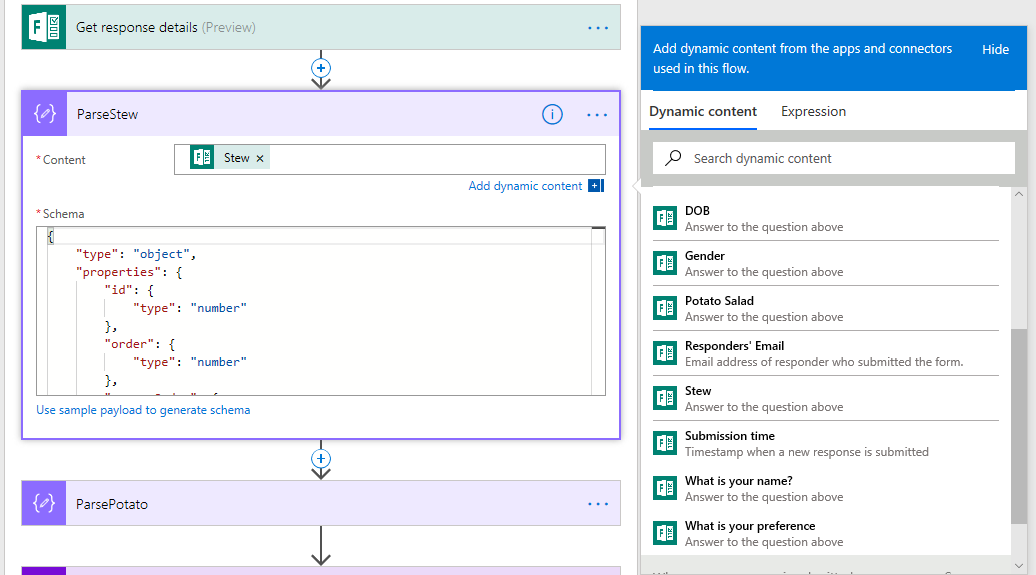
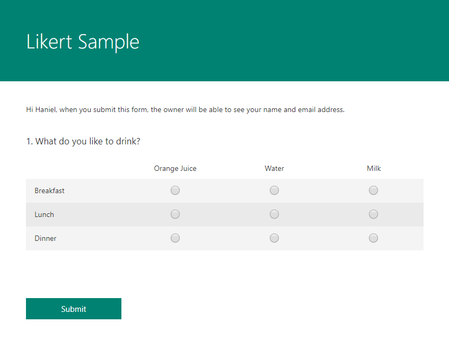
Sorry for not clarifying in my original post. The Parse_Breakfast is the JSON output for the Breakfast value using the following schema:
{
    "type": "object",
    "properties": {
        "id": {
            "type": "number"
        },
        "order": {
            "type": "number"
        },
        "answerOrder": {
            "type": "number"
        },
        "displayText": {
            "type": "string"
        },
        "invalid": {
            "type": "boolean"
        },
        "url": {},
        "description": {},
        "symbol": {},
        "symbolColor": {},
        "isCustomChoice": {
            "type": "boolean"
        },
        "customProperties": {
            "type": "string"
        },
        "key": {},
        "image": {
            "type": "object",
            "properties": {
                "altText": {},
                "contentType": {},
                "fileIdentifier": {},
                "originalFileName": {},
                "resourceId": {},
                "customProperties": {},
                "resourceUrl": {}
            }
        }
    }
}
Here's what the Flow looks like
 Gregory SharrowAug 20, 2018Copper Contributor
Great blog, how would you do something similar with a multi answer question in forms? Right now it comes in as one string (csv) that contains all the answers that were checked. I need to split those out and treat them as separate objects.
- Gregory SharrowAug 26, 2018Copper Contributor
I figured it out. The multi selection question returns a json string array. If you parse the json (action/data operations/parse JSON) and then apply to each.
 null ymicheaApr 20, 2018Copper Contributor
... just in case someone else is looking for this... for the schema, you just need to select "Use sample payload to generate schema", and copy and paste from the JSON output you may have (similar to the example included in the post).
For the "Content" field you should use the corresponding field from the form