Forum Discussion

Muhammad Ali Khan
Dec 10, 2018Tin Contributor
Outlook (365) Need Password - Issue
Hi, We are using E3, outlook 365 in our company. Some of our users' outlook stop sync with exchange and ask for password, as shown in below image: to fix the issue, I clear entries i...
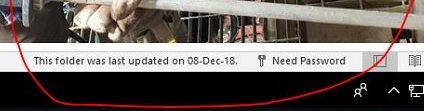
- Dec 13, 2018Hi Muhammed,
Add the Registry key as advised in the article
We've been seeing this for more than 6 months sporadically and again same for one computer today. There was no recent password change but suddenly behavior as described here. Adding this key and setting it to 1 fixed the issue with no reboot. We're seeing this reported by a very small number (half or a quarter percent maybe?) of the clients that we manage.
Best, Chris


Neil_KEH
Apr 04, 2022Copper Contributor
It work after i removing my Office 365 account from "Access work or school" (Settings > Accounts > Access work or school) on Windows 10 solved that issue

BEBaker
Apr 04, 2022Brass Contributor
Neil_KEH I am not sure I understand where you made those changes. Inside Outlook?
- BEBakerApr 07, 2022Brass ContributorWell, I thought we might actually have found a solution for this, but this morning the Need Password error showed up again. It worked for about 48 hours.
- BEBakerApr 04, 2022Brass ContributorOk, found it Thank you. I followed that procedure and will watch it to see if the error returns. For me, any time I have fixed it, it would return in about a day and a half. I will report back in a few days. I appreciate the help!
- YuthaKraiApr 04, 2022Copper Contributor
BEBaker I did what Satoshi wrote and it solved my problem so I am writing here to share.
What was explained is that you need to configure SETTINGS in WINDOWS 10 not SETTINGS in OUTLOOK. Press windows button and type SETTINGS, then follow what Satoshi originally wrote. Hope it helps.