Forum Discussion

Office 365 Outlook 2016 Password Pop up Box
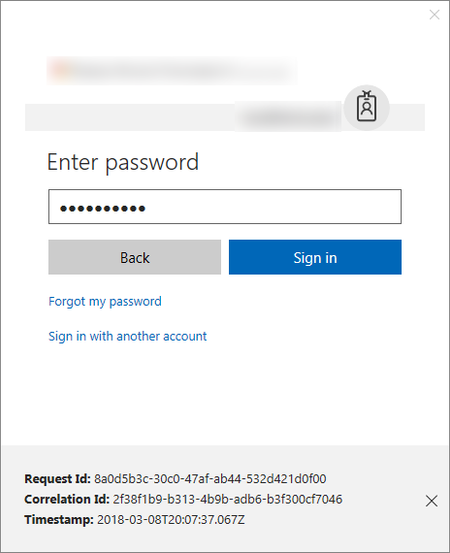

Thanks Vasil for the reply. Our Office build is 16.0.4639.1000 32-bit. We have tested the "Account/Connected Services" stuff and ruled that out. We have a support ticket open with Microsoft and they have remoted into a couple machines that are experiencing this issue and they still don't know what the cause is and how to fix it. The last thing MS told us to try was flushdns. So, I'm trying to see if there are others out there that have other ideas since MS is out of ideas. Thanks again.

If I understand well, you are running Office 2016 Professional Plus (not ProPlus), i.e. a very old MSI version (not C2R), whose features have not been updated for years...
VasilMichev, could this be the problem?
- Nate WallaceMar 09, 2018Copper ContributorYes, Salvatore, you are correct. It is Office 2016 Professional Plus. It is an MSI distributed installation that is part of our Universities imaging process.
- Nate WallaceMar 09, 2018Copper Contributor
The strange thing about these pop ups is that they seem to be tied to Skype for Business somehow. I have one of the pop ups on my screen right now. It didn't appear until I clicked on the Skype for Business icon in my toolbar to start a chat with a colleague.
- Salvatore BiscariMar 09, 2018Silver Contributor
Well, not so strange: in fact, SfB accesses EOL too.
So the culprit could be very well SfB.
Have you perhaps activated MFA?