Forum Discussion

New sign-in experience for Office 365, what's it about?
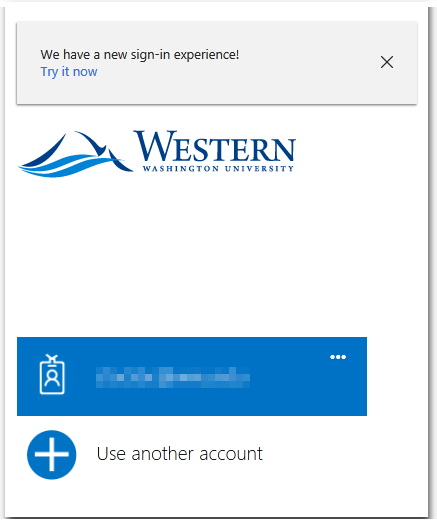

Now I'm not seeing the prompt at all, for cloud-only IDs as well. It's not disabled in the branding, and I've tried it on another tenant just to be sure.
OK, now it's showing again... sometimes :) I guess code is still propagating through the service...
 Josse HuizenDec 07, 2017Copper Contributor
We're experiencing the same issue...
We're not seeing the option to remain signed in, even though it's enabled in the Azure portal.
Our users are now bothered with this screen every time they start their browser (IE11, default page = our intranet on SPO)
- Teemu StrandJan 01, 2018Iron Contributor
We are seeing this same issue. I cannot see the "Stay signed in" prompt at all (in IE11 or Chrome browsers) and browser is prompting for password every time I open browser. Also I see the password prompt every time I launch my Outlook client.
- AragornAug 29, 2018Iron ContributorI get the "Stay signed in" on the internet but on the corporate network I don't get this. Users always have to select their account from "pick an account" every time you start IE. Is there a fix for this?
- Kelvin XiaDec 14, 2017Former EmployeeHi Josse, what's your environment like? Are you using ADFS with Windows Integrated Auth (ie. browser SSO with your ADFS account)?
- Josse HuizenDec 22, 2017Copper Contributor
Hello Kelvin,
sorry for my late response.The answer to your question is: Yes, we are using ADFS (3.0) with integrated auth/SSO.
But: we are using terminal servers (Citrix) which are basically shared devices..
Is that the reason that we don't see the KMSI-popup in the new experience?Or do we have to make adjustments to our ADFS server to make them compatible with the new sign-in experience?
Kind regards,
Josse


