Forum Discussion

Junk Email bug?
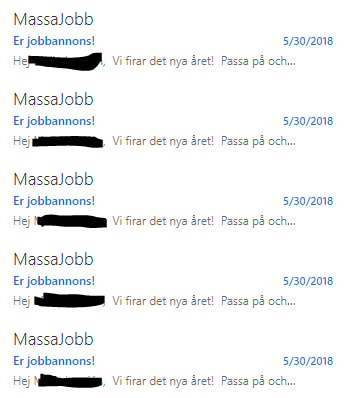

The first thing to do in such situations is to disable/remove the mailbox from any mobile devices, then open it just on OWA and see if you can reproduce. Next step is to rule out any Outlook add-ins, so start Outlook in safe mode (hold the CTRL key while launching it), then you can start enabling add-ins one by one. You can follow a similar process for any mobile devices involved.

Hi,
Thanks for the feedback.
I was able to find the user that were creating the messages by running "non owner mailbox access report". Haven't been able to get hold of the user yet but will troubleshoot from there.
Br
Mattias
- null nullSep 17, 2018Copper ContributorHi Mattias,
We are facing the similar issue with one of our email box, I would like to ask if you find any solution for this.
Thanks,
Pavan- Mattias FrykstrandSep 18, 2018Copper Contributor
Hi,
We have this issue with "open "shared mailboxes, so there are a lot of user connected to each mailbox. What we have done so far is to look at the mailbox log and see which user that creates the mail, and then we have removed the mailbox from that users outlook (added as a secondary account). So far it looks like it solves the issue, no more mails are created directly after they re-add the mailbox. But we are still finding new users so none of the mailboxes are solved. There's also a issue with additional junk e-mail folders appearing that makes it worse.
Br
Mattias