Forum Discussion

Duane Brown
Nov 08, 2017Copper Contributor
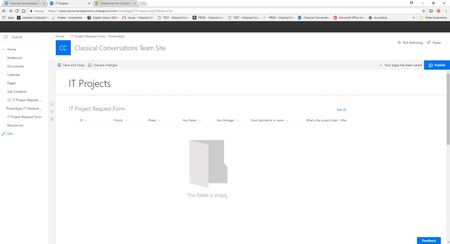
Is there a way to display the list web part so that the user does not have to select "see all"?
Is there a way to display the list web part so that the user does not have to select "see all"? I wanted to display my entire list in a sharepoint web page. However, it cuts off the columns in the ...

Clint Lechner
Nov 09, 2017Steel Contributor
Funny thing, I'd rather not see SEE ALL at all, or at least have the option to remove it with a checkbox in the webpart. Instead I need to use a little Sharepoint Framework magic to hide it.

Duane Brown
Nov 13, 2017Copper Contributor
Or, is there a way to insert a button to link to a PowerApps Form that I created on the list page that I created?
Clint Lechner wrote:
Funny thing, I'd rather not see SEE ALL at all, or at least have the option to remove it with a checkbox in the webpart. Instead I need to use a little Sharepoint Framework magic to hide it.
The IT Team wants to see the complete list with a button to inform people where to go to create an IT request. The IT Request form I created in PowerApps.