Forum Discussion

Is there a way to convert Office 365 group to Distribution group?
- Aug 26, 2017
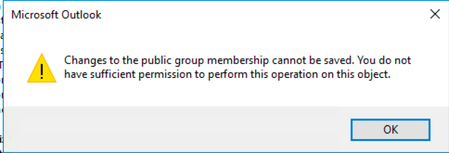
Only Outlook 2016 properly recognizes Groups and allows you to manage their members. And you need to use the relevant Group controls, not the address book dialog. Check the documentation here: https://support.office.com/en-us/article/Add-and-remove-group-members-in-Outlook-3b650f4a-5c9b-4f94-a1bb-0cca4b1091de


i just need to know the exact steps

This just gets all the members in the m365 group, creates and then adds them app to a new distribution group, it doesn't do anything destructive. I just found it easier to do this, then set the options on the distribution group afterwards.
I signed up just to post because I thought the other guy was being a bit mean.
What I've written isn't great, but it'll work.
#First open powershell as administrator (Start > run > type:ise > rclick powershell > run as administrator)
#Install Exchange Online Management Shell
Install-Module -Name ExchangeOnlineManagement
#Connect to Exchange Online, log in with your admin account
Connect-ExchangeOnline
#Source M365 Group (e.g. email address removed for privacy reasons)
$M365GroupName = 'source_m365group_name'
#Target Distribution Group (e.g. email address removed for privacy reasons)
$DistGroupName = 'testdist'
#Creates the new distribution group with the above name
New-DistributionGroup -Name $DistGroupName
#Get the Members from the M365 Group
$M365GroupMembers = Get-UnifiedGroup -Identity $M365GroupName | Get-UnifiedGroupLinks -LinkType Member | Select -expandproperty PrimarySmtpAddress
Foreach ($member in $M365GroupMembers){
"Adding $member..."
Add-DistributionGroupMember -Identity $DistGroupName -Member $member
}