Forum Discussion

Is there a way to convert Office 365 group to Distribution group?
- Aug 26, 2017
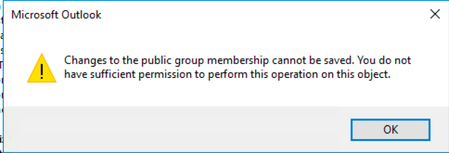
Only Outlook 2016 properly recognizes Groups and allows you to manage their members. And you need to use the relevant Group controls, not the address book dialog. Check the documentation here: https://support.office.com/en-us/article/Add-and-remove-group-members-in-Outlook-3b650f4a-5c9b-4f94-a1bb-0cca4b1091de


Dynamic Office 365 Groups are a solution when you want to control membership. Admins need to update AAD before someone can leave a dynamic group.
- David StokesSep 05, 2018Copper Contributor
This feature requires an Azure AD Premium P1 license. We are a small non-profit with about 20 employees. Paying $120 a month on top of our Office365 subscription just so we can use dynamic groups is not fiscally responsible. Microsoft keeps changing options and features just so it can monetize functionality. As a long time user of MS products, for the first time in my 20 year career, I am starting to seek alternatives.
- TonyRedmondSep 05, 2018MVP
It's absolutely true that dynamic groups is a premium feature. To be fair to Microsoft, although I have loudly protested the need for premium licenses for this and other features, they have been consistent in their pricing model for dynamic groups for the last couple of years and did a lot of work to clarify the issue for other premium features at Ignite 2017. See https://www.petri.com/microsoft-clarifies-premium-features-office-365-groups for details.
If you don't want to use dynamic groups, use PowerShell to track the changes made to groups and add back users who leave. See https://practical365.com/collaboration/groups/powershell-script-generate-reports-groups-office-365/ for an example.