Forum Discussion

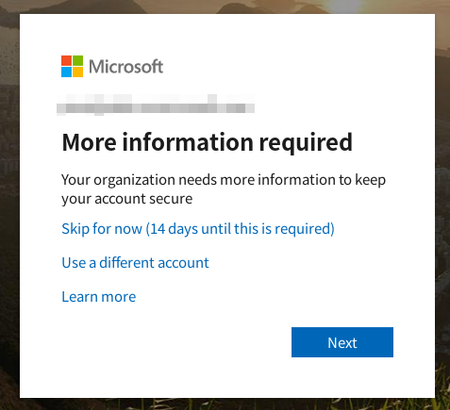
How to disable two-step verification for all users
 Dec 02, 2019
My issue is resolved.
Disable security defaults.
Azure AD > Properties > Manage Security defaults

This looks like the self-service password reset feature, not MFA. Read here: https://docs.microsoft.com/en-us/azure/active-directory/authentication/howto-sspr-deployment
- william2001Dec 02, 2019Brass Contributor
Hello VasilMichev ,
Thank you for your reply.
I have checked my SSPR settings.
SSPR enabled option is None.
Authentication methods only Email is selected.
Registration is No.
Each Notifications options are No.
I did something wrong?
I cannot figure out another settings.

- william2001Dec 02, 2019Brass Contributor
My issue is resolved.
Disable security defaults.
Azure AD > Properties > Manage Security defaults
 klittle15Jan 14, 2024Copper Contributor
For anyone coming across this post and finding their Azure portal doesn't look like the picture, I found the setting under the new Entra admin center at https://entra.microsoft.com/#home.
Scroll down to Quick Navigation and click Tenant Overview:
Switch to the Properties tab:
Scroll down to Security defaults and click the "Manage security defaults" link:
And then, as nothanksrick said, switch to Disable, provide a reason, save, and confirm.