Forum Discussion

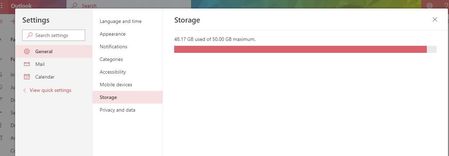
How to Cleanup Storage on New O365 Outlook Interface ?
- Mar 19, 2019
There are still some features that have not been ported to the new OWA experience, but you can still access the Cleanup UI by switching to the old experience or directly at: https://outlook.office.com/owa/?path=/options/mailboxcleanup
There are few threads here that list all the features that are still not available in the new OWA, look them up if you are interested.

There are still some features that have not been ported to the new OWA experience, but you can still access the Cleanup UI by switching to the old experience or directly at: https://outlook.office.com/owa/?path=/options/mailboxcleanup
There are few threads here that list all the features that are still not available in the new OWA, look them up if you are interested.
 sjoy2019Jan 01, 2020Copper Contributor
dear lord, your link don't work anymore!

any way to go back to that page where I can delete emails based on periodical period?
- sjoy2019Oct 07, 2019Copper Contributor
Fantastic link, thank you so much!
We only got 2GB size from company and thus mailbox is always full after 2 weeks+.
The new interface takes awhile to get used to, and manually deleting emails is NOT FUN at all.
Seems like new interface does not have this feature (delete by chrono choice i.e 3mths older mails, etc)
 BobKIneedBobMar 19, 2019Copper Contributor