Forum Discussion

How do I access o365 powershell online

nerddad Was it the Exchange Online PowerShell? To get this you go to the old Exchange admin centre https://outlook.office365.com/ecp/ then hybrid, then configure Exchange Online PowerShell
This then installs the module and opens PowerShell. It uses that "Click Once" installer so if you're lucky it'll work in Edge (it did for me just now, but never used to), otherwise you'll have to use IE.
 nerddadFeb 07, 2021Copper Contributor
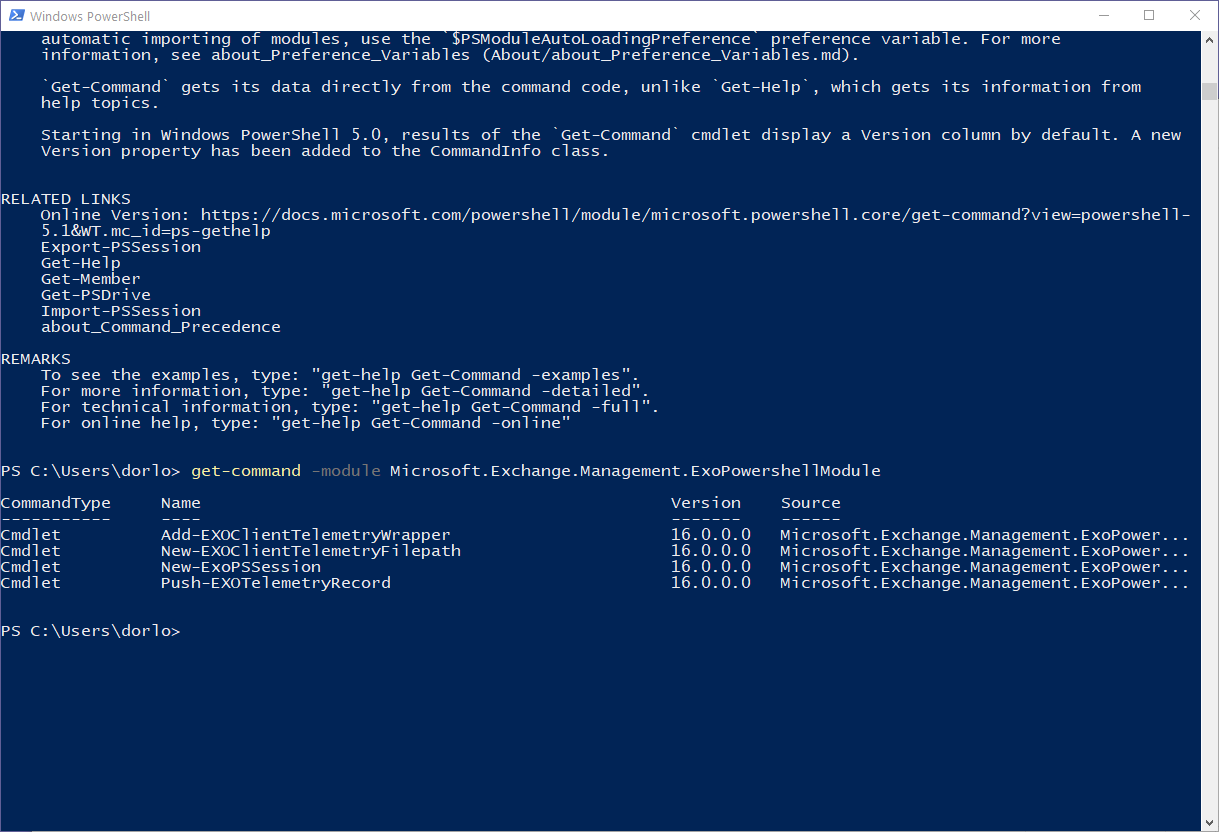
(see attached) That kind of worked... I'm not seeing a whole lot of commands to run though. What am I missing? I placed my o365 on lit hold so I never loose emails. I'm trying to get to the dumpster.
- CoasterKatyFeb 07, 2021MVP
nerddad Did you run Connect-EXOPSSession? Once you've done that you get all the Exchange Online cmdlets
I don't remember ever seeing an embedded PowerShell in Azure but I've never gone looking for one either so no idea where that could be.
- nerddadFeb 07, 2021Copper Contributor
Still curious how I got to it on the web. I thought we were in Azure on a website and we opened up PS directly within the webpage. I'd imagine if I did this, I wouldn't have to monkey around with getting the right modules or ps-snapins or whatever to get all the available commandlets. Granted it would be nice to do it this way too... then I could use ISE to script. (I think ISE has been deprecated... but MS code or whatever they use these days. My company is a decade behind the times. So, I'm always being introduced to ancient technology.)
- CoasterKatyFeb 07, 2021MVP
nerddad It wasn't Azure Cloud Shell was it? Just had a look in Azure and found a Powershell window within the Azure portal which sounds a bit like you were describing? (button to open it on the top near the right, if you've not used it on that tenancy before it'll ask you PowerShell or Bash and ask you to let it make a storage account)