Forum Discussion

hide fields in Office 365 signature if there are empty
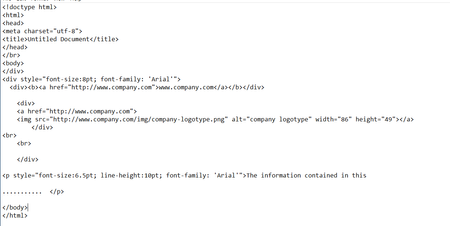

Hello Rhys
Thank you for the update.
Yes, I can use that but the issue is that for example in this case all elements will be inserted in the disclaimer, all 5 of them, even though let's say the user does not have a company phone, therefor no phine number. In this case, I need to make it not display the phone field.
%%displayname%%
%%PhoneNumber%%
%%title%%</br>
%%company%%
%%street%%
%%city%%, %%state%% %%zipcode%%

You cannot have such granularity with the built-in functionality, it's very limited. You're better off looking for third-party tools that specialize in signature management.
- Ion-vlad OrascuJul 09, 2019Tin Contributor
Thank you
What the other person said might work for single users, but I can't create transport rules to add disclaimers for each individual person, I have hundreds of users
- Rhys WilliamsJul 15, 2019Iron Contributor
I have managed to configure around 20 disclaimer rules configured to apply based on a user's group membership. We have 15,000 users who all need signatures and this method works, what're you seeing?
- Ion-vlad OrascuJul 16, 2019Tin Contributor
Hi Rhys
I am facing this issue, not all have company phones. So those who do not have an empty field in the signature, this looks bad for people. Creating a special group for these persons seems like a plan, I'll give it some thoughts. To create a group for those who do not have phones.
Many thanks
