Forum Discussion

External users cannot open encrypted email
- Jun 04, 2020
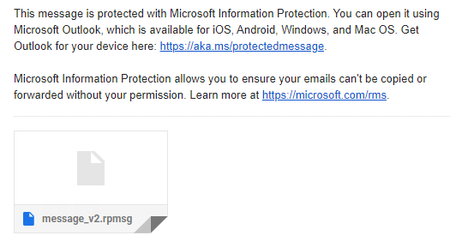
Hi, I received your test message and whilst I was unable to access it via the Gmail web interface, I was able to open it via Outlook using the AIP viewer. This is going to be the only way that the Gmail users will be able to do this.
As ChristianBergstrom pointed out, the options you are using for encryption are the built-in OME / and older default AIP templates. I would recommend taking a look at updating your labels and policies. Could be a good time to start looking to migrate to Sensitivity Labels from the Security and Compliance Center, as Microsoft are planning to "sunset" the older AIP method in 2021 as per https://techcommunity.microsoft.com/t5/azure-information-protection/announcing-timelines-for-sunsetting-label-management-in-the/ba-p/1226179
But, for the meantime, if you want Gmail accounts to access the encrypted emails, then Outlook and the. AIP viewer is going to be the way.


Sorry if this is somewhat off the beaten path. Perhaps it is a piece of the puzzle.
I use Microsoft 365 for Family. So,...it is indeed M365.
Using Outlook on the Web (OWA).
It offers the Encrypt function when sending a new email.
When I send to an M365-Family recipient, and/or an "Outlook.com personal account", the recipient can open and read the Encrypted email. Recipient using OWA on Chrome. Recipient sees a Lock icon in the Inbox list, and when message is open shows message-- This message is encrypted.
So...it works OK.
----
However, the same email, sent to a recipient using Google gmail.com, cannot read the email.
The gmail recipient receives the email.
(note-- always seems to be delayed about 10 minutes).
Sees: --- has sent you a protected message. A blue box with --Read the message--.
When the recipient clicks on that blue box, sees this:
--
Sorry, we can't display your message right now
Something went wrong and your encrypted message couldn't be opened.
Please try again by following the instructions in the original email message in 5 minutes.
--
With M365 Family I probably do not have any "Exchange system admin" tools.
---
Note: a few months ago, this did indeed work correctly. The Gmail recipient was asked to Logon with an account or receive a one-time code. The recipient used the one-time code, and then was able to read the encrypted email.
Thanks.
==========

Mike-Moon-Crater, thanks for the information. It did not help. Our outside recipients are not given the options you describe.